Kertik
A habit tracker for iPhone
One notch
a day.
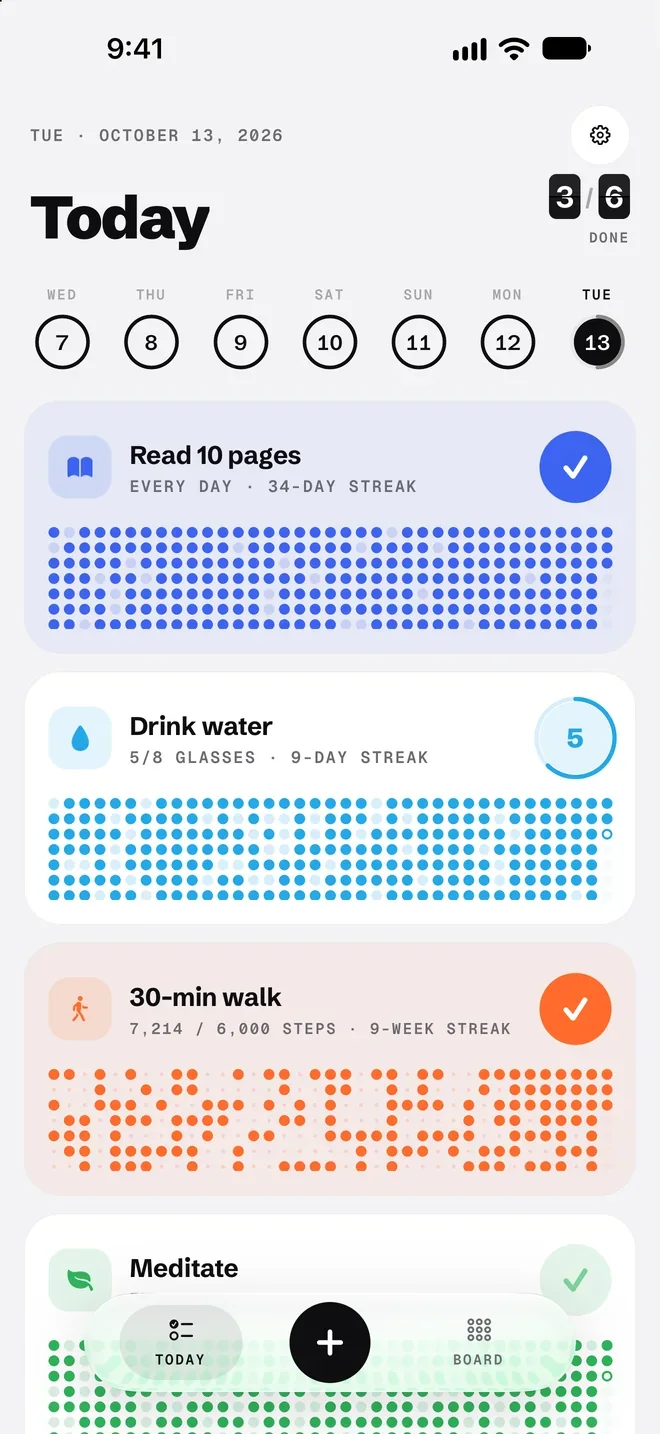
Kertik keeps your habits on a clean board, like a departure board. Hold a card and the day is checked; months of lit dots show your streak.
- Free download
- No account
- No ads, no tracking
- Data stays on your iPhone
Current streak
Days in a row
How it works
Hold the card. The day is checked.
Checking a day in Kertik is one gesture. A quick tap opens the card’s details; to check it, you press and hold. Hard to do by accident, easy to undo.
Hold the card
The ring around the button starts to fill and the habit’s colour spreads across the card.
The day is checked
When the ring closes, a tap of haptics and a flap sound check the day. Hold again to undo.
One more light
Today’s dot lights up, your streak grows by a day and the counter flips like a departure board.
Try itPress and hold
Read 10 pages
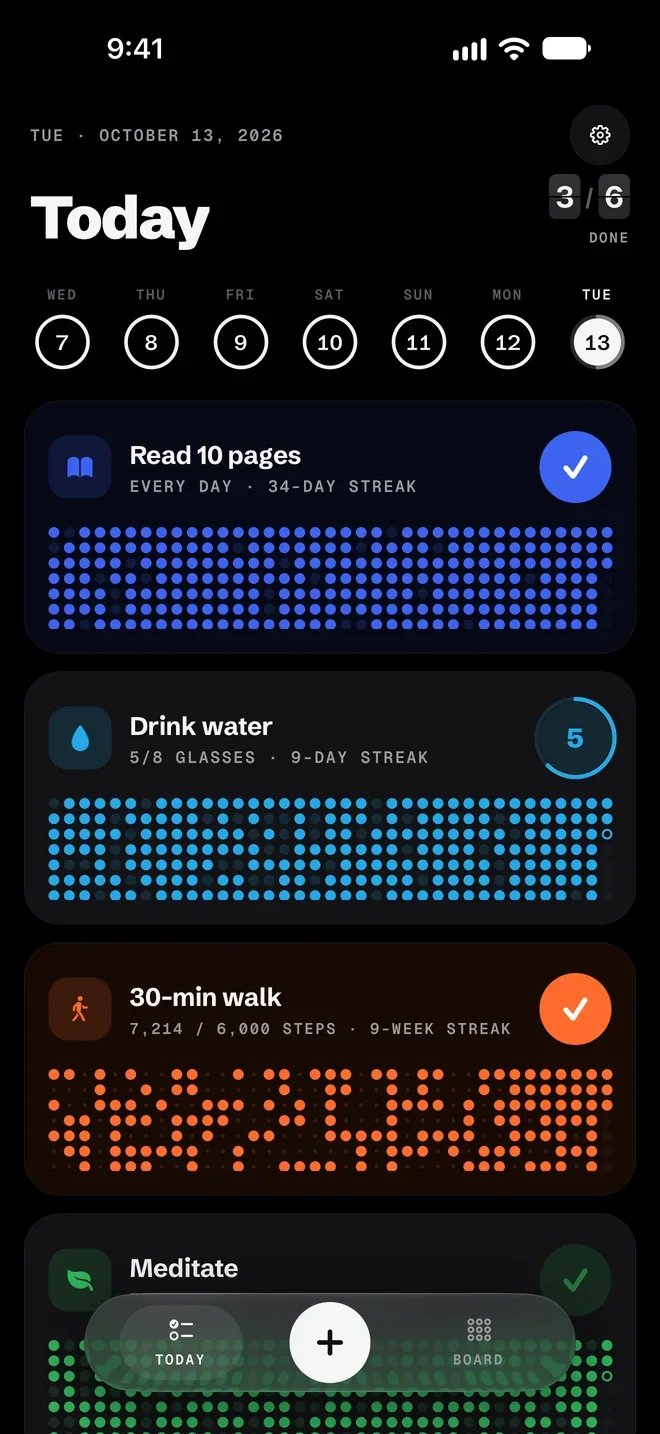
Every day · 34-day streak
Press and hold the button, or hold Space on a keyboard. Hold again to undo.
Widgets and reminders
Check it off without opening the app.
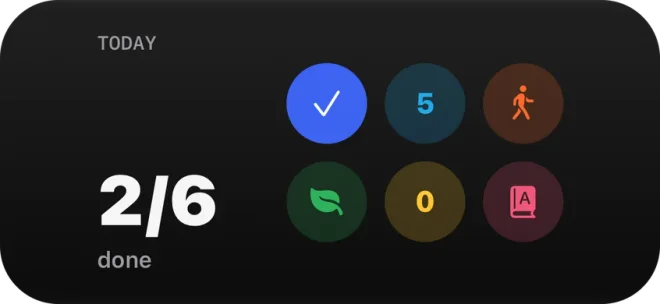
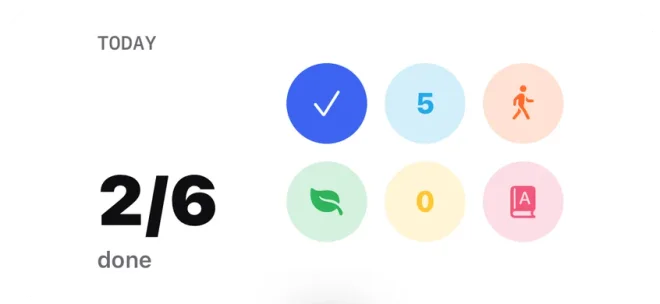
The Home Screen widget shows today’s habits as circles. Tap a circle and that habit is checked; you never have to open Kertik.
Reminds you at its own time
Give each habit its own reminder time. If you’ve already done it that day, the reminder stays quiet.
An evening nudge, only if needed
The evening reminder sends one notification if planned habits are still open. If everything is done, it stays quiet.
- Pro
Lock Screen widgets
Today’s progress on the Lock Screen, without unlocking your phone.
Where the name comes from
Kertik is Turkish for a notch, the kind cut into a tally stick: one a day.
Its look comes from an airport departure board: a black or a white board, every habit in its own flat colour, a streak counter with flipping digits. No games, no guilt; just today’s notch.
The board
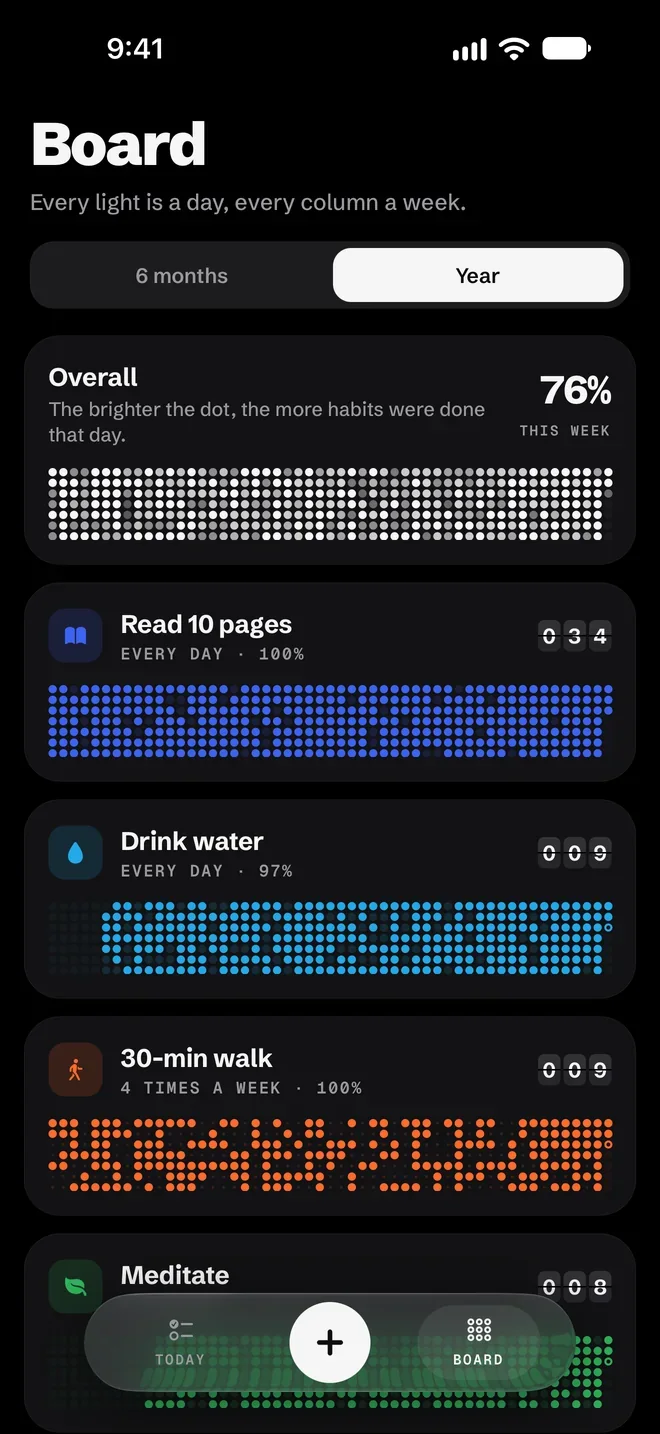
Every light is a day, every column a week.
Every habit card carries a dot grid of the last months. A lit dot means you did it that day; a dim dot of the same colour means you missed it. Streaks and gaps, at a glance.
- Every habit in its own colour, its grid showing the last months
- An overall board: the brighter the dot, the more habits were done that day
- This week’s score in the corner, before the week is out
- The six-month board is free; the whole year, 53 weeks, comes with Kertik Pro
Streaks
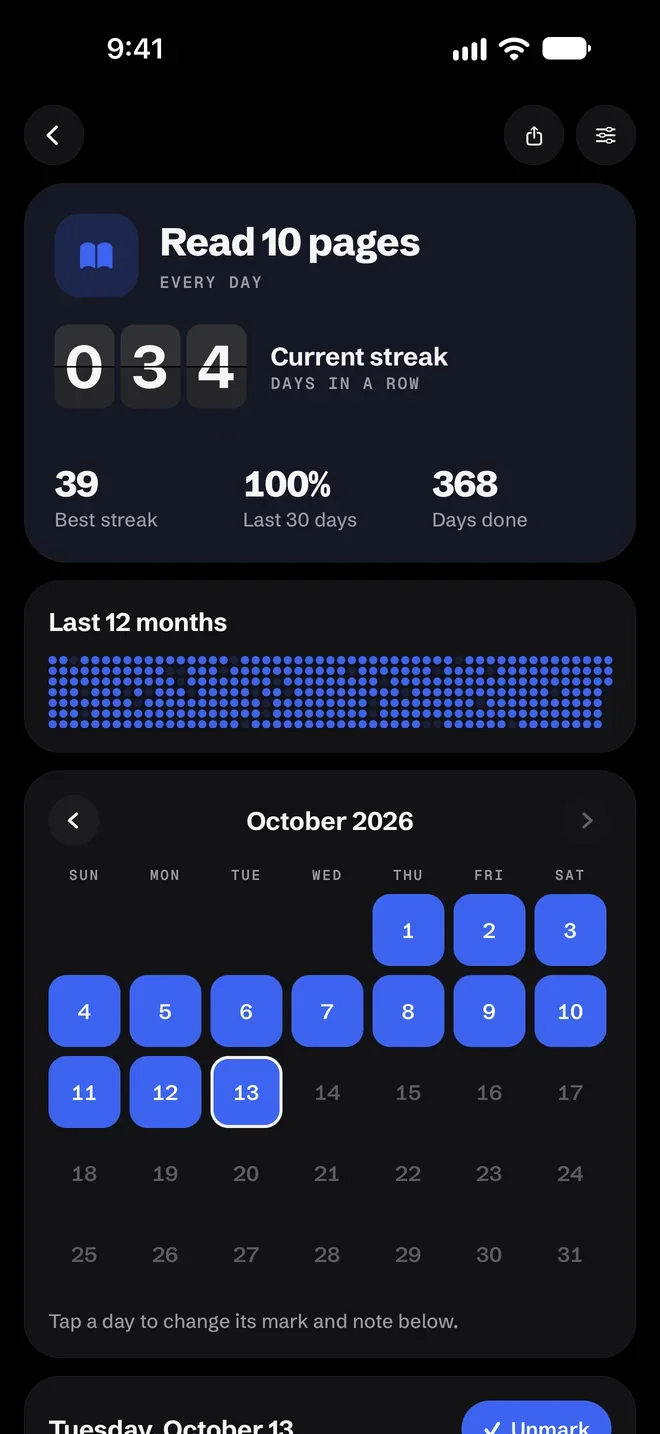
Your streak, on the board.
Tap a card to open its details. Your current streak shows on flap tiles, with your best streak, the last 30 days and the total days done below it.
- Tap a day in the month calendar to add or remove a mark you forgot
- Leave a short note on any day. How did that day go?
- Six months free; the last 12 months in one grid with Kertik Pro
- Save your streak as an image and share it wherever you like
Types and plans
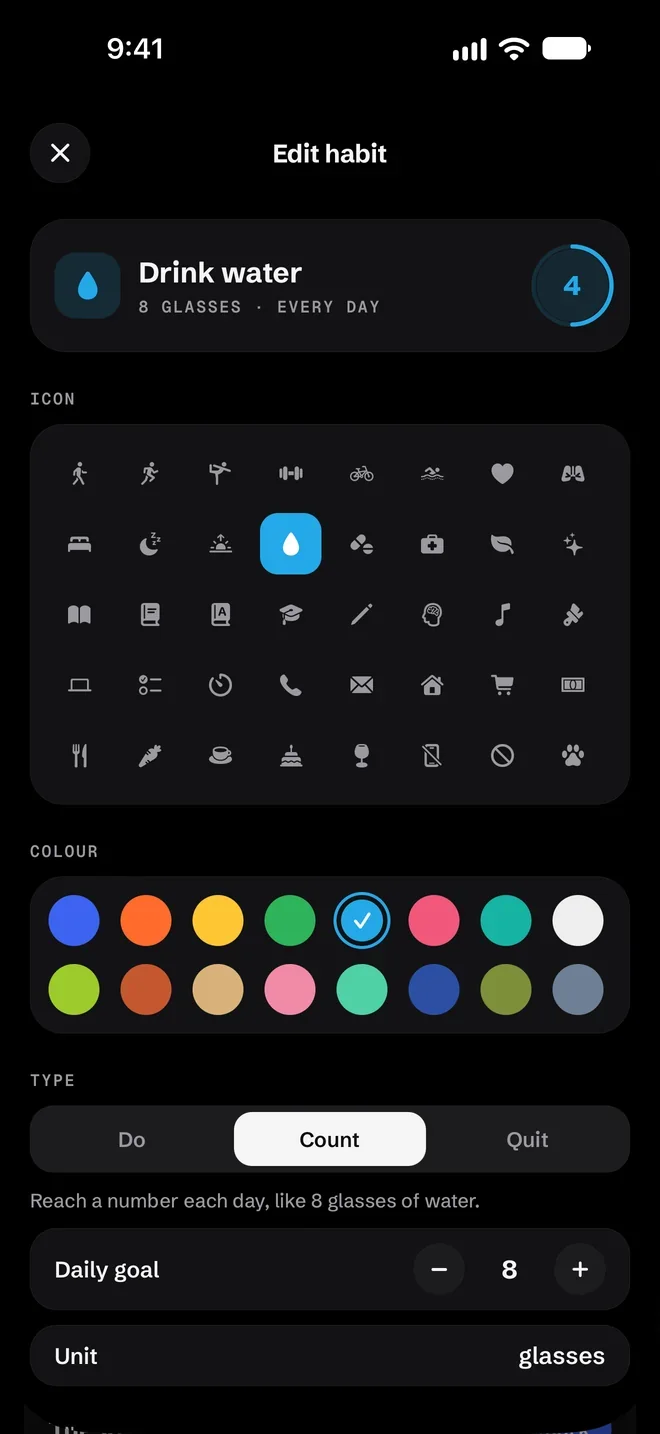
Do it, count it or quit it.
Not every habit is measured the same way. Some you do, some you count, some you want to cut down. Kertik knows all three.
- Do: done or not. Hold the card and the day is checked
- Count: reach a number each day. Every tap adds one, holding takes one off
- Quit: every day you stay within the limit counts as clean
- Every day, weekdays, weekends, the days you choose or N times a week
- 40 icons and 16 colours: eight colours are free, eight more come with Kertik Pro
Apple Health · Pro
Reach the goal and it checks itself.
Link a habit to a goal in Apple Health: steps, exercise minutes, mindful minutes or sleep. On the day you reach it, Kertik checks the habit for you.
- Health data is only read, on your iPhone, to compare it with your goal
- Nothing is sent anywhere, stored in iCloud, written back to Health or put into backups
- Kertik looks when it opens and while it stays open; it never unchecks a day on its own
Pricing
Start free. Go Pro if you like.
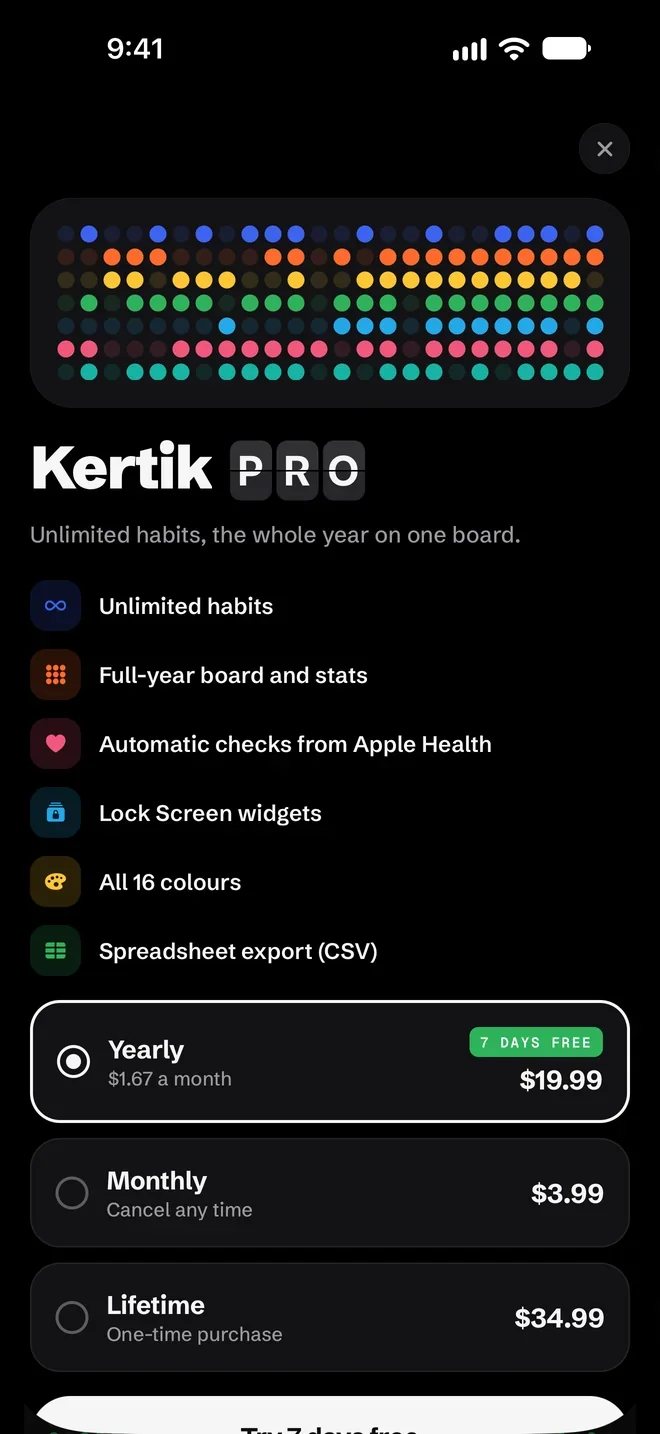
Kertik is free to download and the free version has no time limit. Six habits, every type and plan, the widget and reminders are always free. Kertik Pro brings unlimited habits and the whole year on one board.
- Unlimited habits
- Full-year board and stats
- Automatic checks from Apple Health
- Lock Screen widgets
- All 16 colours (8 extra)
- Spreadsheet export (CSV)
Details
Small things that matter.
Black by night, white by day
Kertik follows your phone’s appearance setting: a pitch-black board in dark mode, a white one in light mode. There’s no theme to pick.
Haptics and a flap sound
Checking a day comes with a tap of haptics and a flap sound. You can turn both off under Settings › General.
Back up and restore
Your backup is a JSON file you save yourself. Save it to iCloud Drive and you can restore it on your new phone too.
Share image
When you share a streak, Kertik makes an image with the habit’s icon, name, streak and the last year of dots.
Spreadsheet export
With Kertik Pro, export your marks and notes to a CSV file with date, habit, value and note columns.
English and Turkish
Kertik is an iPhone app in English and Turkish.
Screens
A closer look at Kertik.
Today, light appearance
Today, dark appearance
The board, year view
Habit details
Edit habit
Kertik Pro
Privacy
Your habits stay with you.
You don’t create an account to use Kertik. Your habits, marks and notes are stored only on your iPhone. Apple Health data is read only on your iPhone; never sent, never stored, never in a backup. Purchases go through Apple; your payment details never reach Kertik.
Privacy0
Accounts
0
Ads
0
Analytics and tracking
0
Servers collecting data
FAQ
Questions and answers.
Can’t find what you’re looking for? Have a look at the support page.
SupportIs Kertik free?
What does Kertik Pro add?
How do I check a day?
Can I check a day I forgot?
How do I check habits from the widget?
Where does my Apple Health data go?
Where is my data? What if I change phones?
How do I cancel my subscription?
Which languages does it speak?
Does Kertik give health advice?
Today’s notch is waiting.
Kertik is getting ready for launch and is coming soon to the App Store. No account, no ads, no tracking.