
Gritcard
A discipline card for iPhone
Your discipline now has a card.
Gritcard turns what you do every day into a player card. Finish your tasks and your six stats rise, your OVR climbs, and your card goes from bronze to silver to gold, and one day to legend.
- Free to start
- One-minute setup
- No account, no ads
- Data stays on your iPhone
75+ OVRYour habits carry you now. The top of the free version.
Every day
Every check goes on your card.
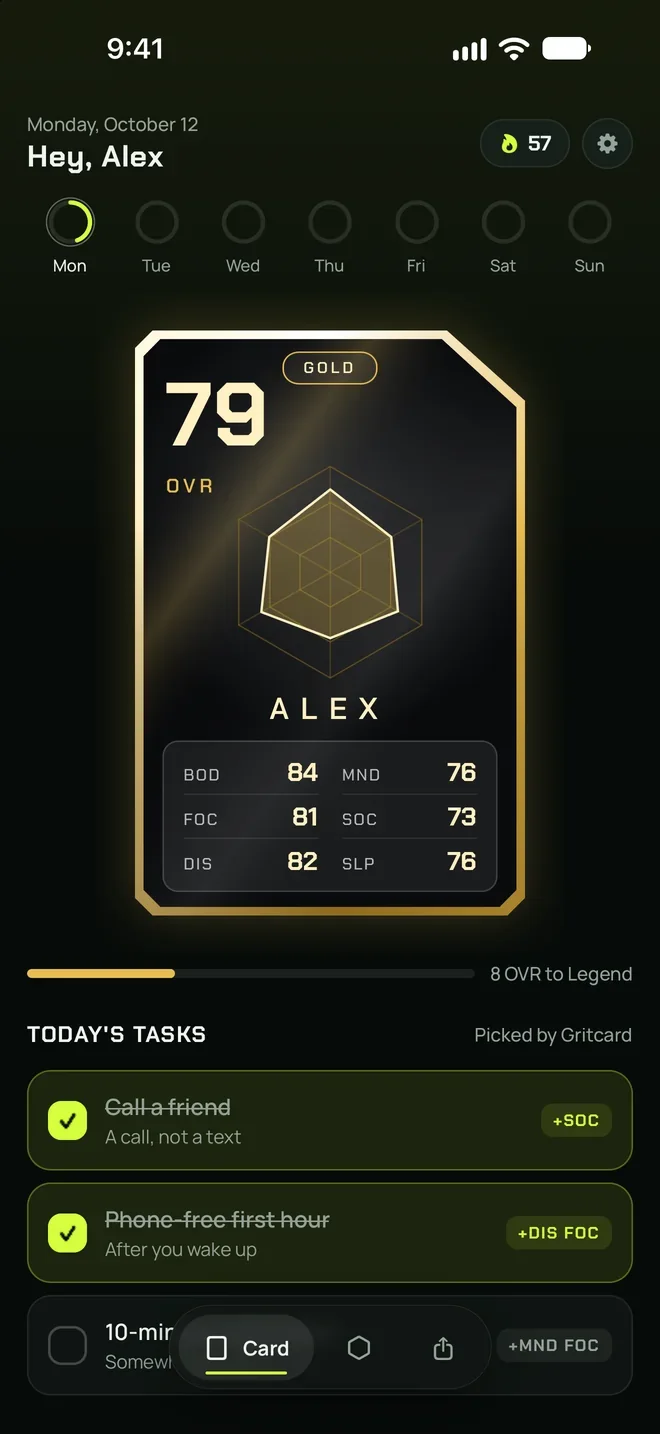
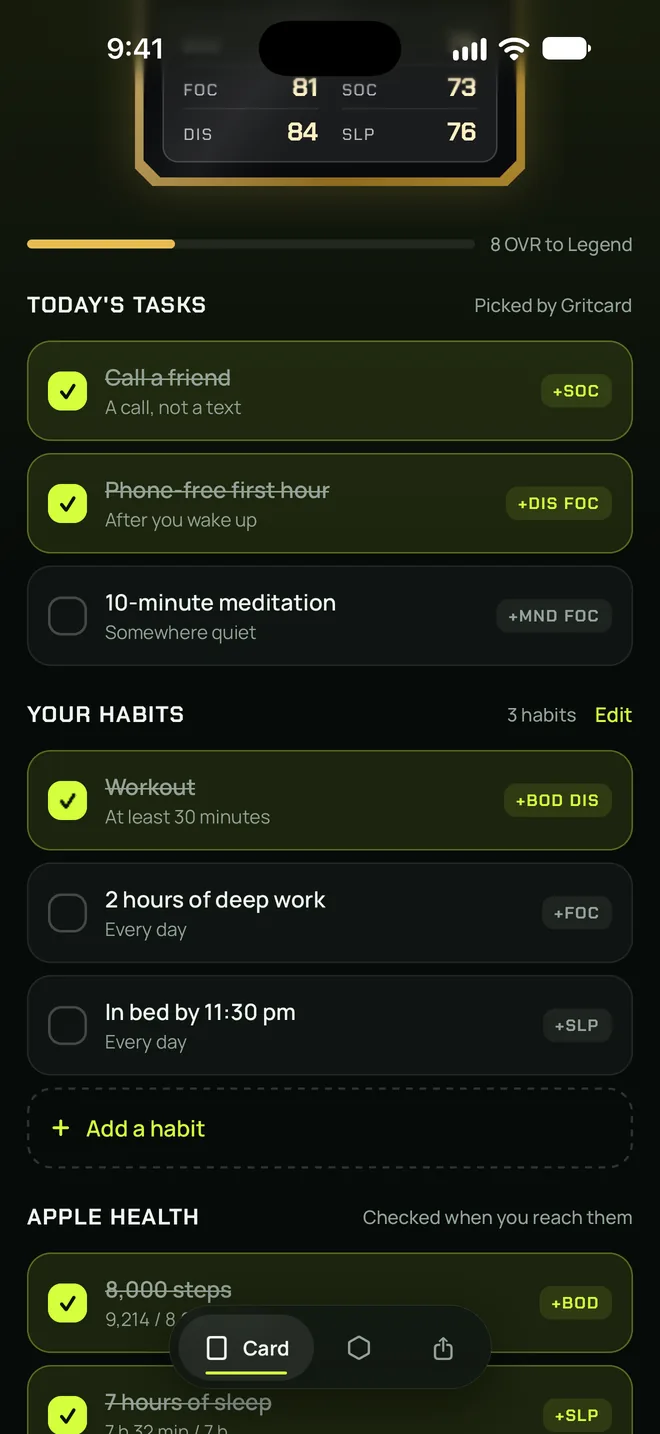
Each day Gritcard suggests three tasks picked from your weakest stat and your focus stat, with your own habits right below. Check a task off and the stats it trains get +2.
72OVR
3 OVR to Gold12-day streak
Today’s tasksSuggested
Your habits3/3 free
Try it: check the tasks and take this card to gold.
+2
Every check
Each stat a task trains gets +2. One task trains at most two stats.
+6
Daily max
A stat gains at most +6 a day. You can’t pump one stat with ten tasks, so the tiers keep their worth.
−0.8
Overnight drop
Stats you didn’t train that day drop by 0.8 overnight. Your card is honest about what you neglect.
3+
Streak
Every day with at least three tasks done adds a day to your streak. Turn on the evening reminder and Gritcard nudges you once.
Tiers
From bronze to legend.
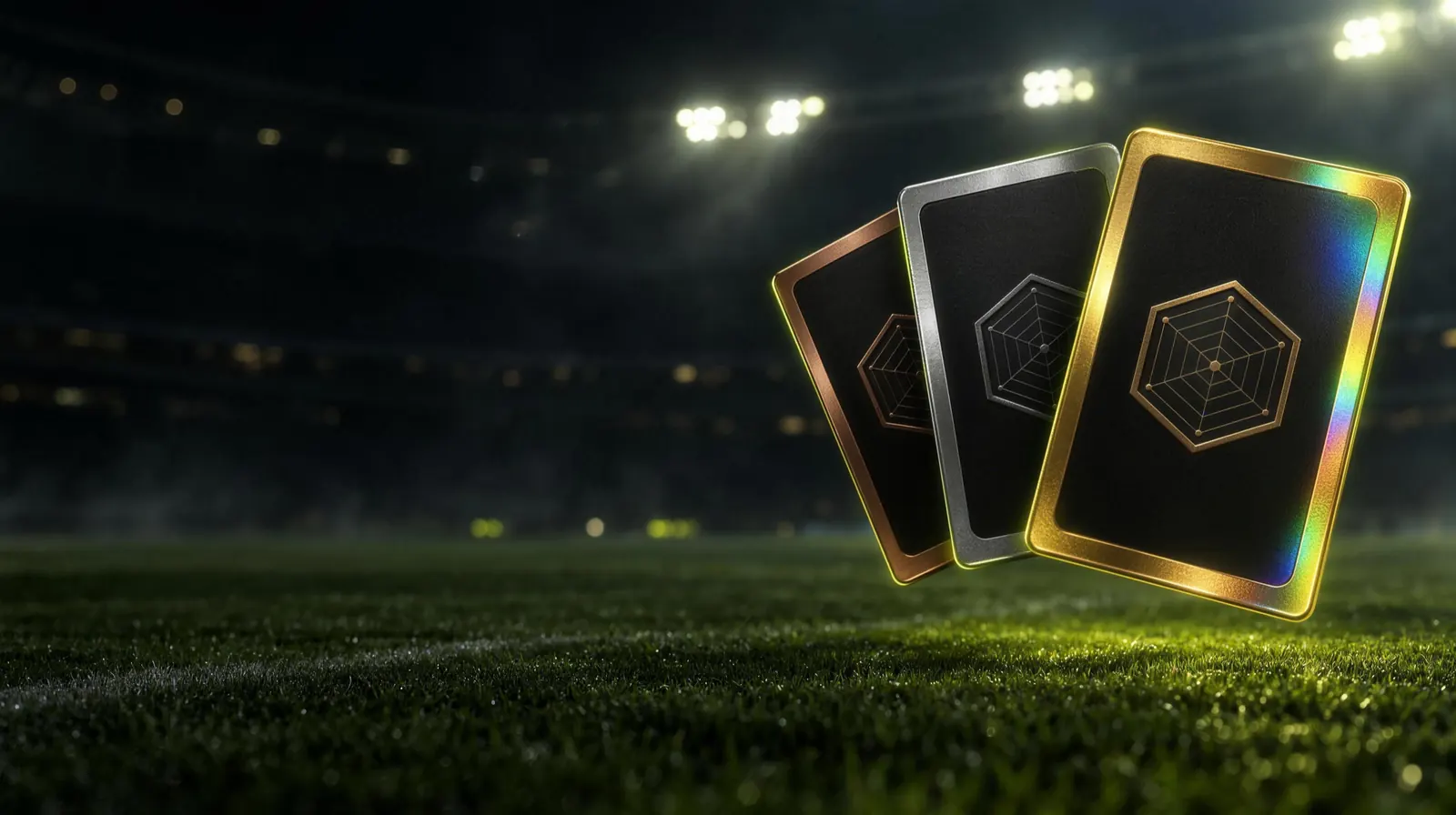
Your card’s metal follows your OVR. A stat can gain at most +6 a day, so no card shines overnight; every tier is earned for real.
- BronzeUnder 65 OVR
- Silver65+ OVR
- Gold75+ OVR
- Form7 perfect days
- LegendPRO87+ OVR
What’s a form card?
Finish all of the day’s tasks seven days in a row and your card turns into a form card for a week: silver, with a thin, pale hologram over it. The form card is part of the free version too.
Where the name comes from
Grit is staying power. Gritcard is the card for yours: not a badge, but a card you earn day by day.
There’s no figure on your card. In the middle sits a hexagon drawn from your own six stats, showing at a glance where you’re strong. Tilt your phone and the light slides across the metal foil.
How it works
Your card is printed in a minute.
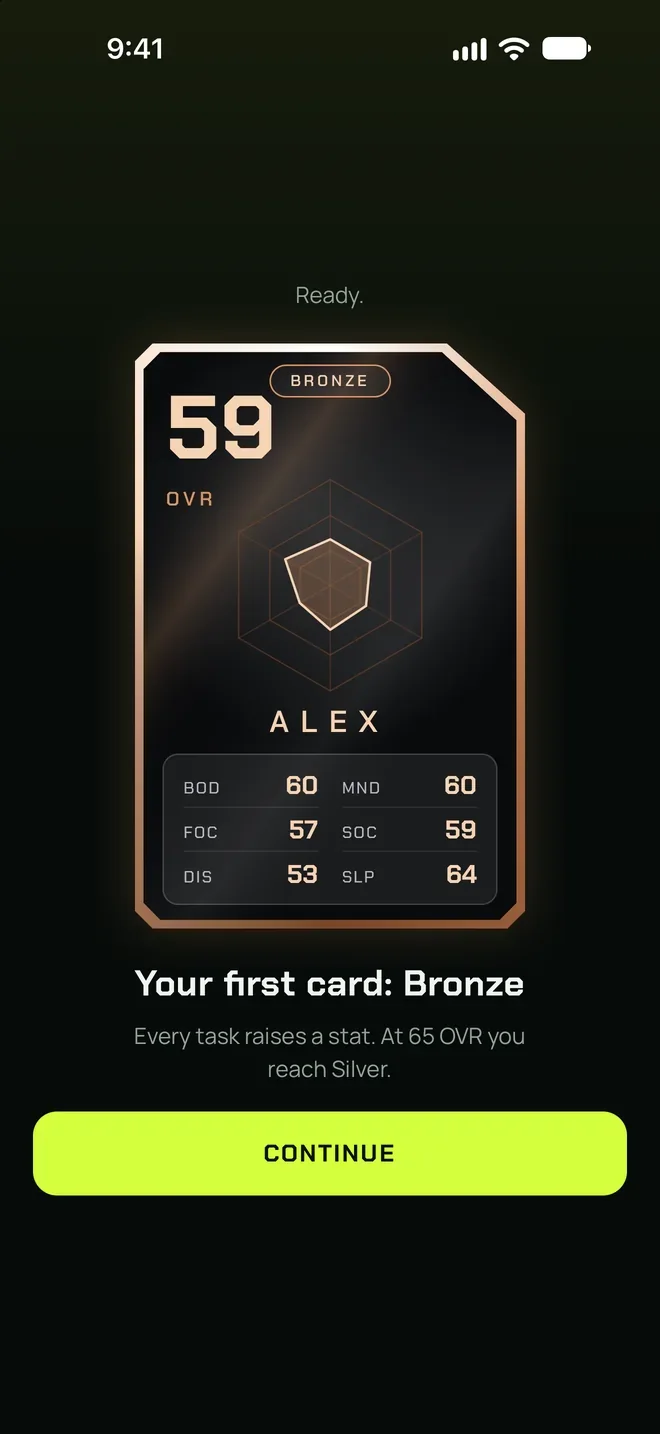
Five quick questions: what holds you back the most, how often you work out, how long you sleep, how much screen time you have and what you want to raise the most. Your first stats come from your answers, the card flips over and your OVR counts up into place.
- Type your name and answer five questions
- Your first card is ready; most people start at bronze
- Check off your tasks every day and move up a tier
Six stats
Six stats, one OVR.
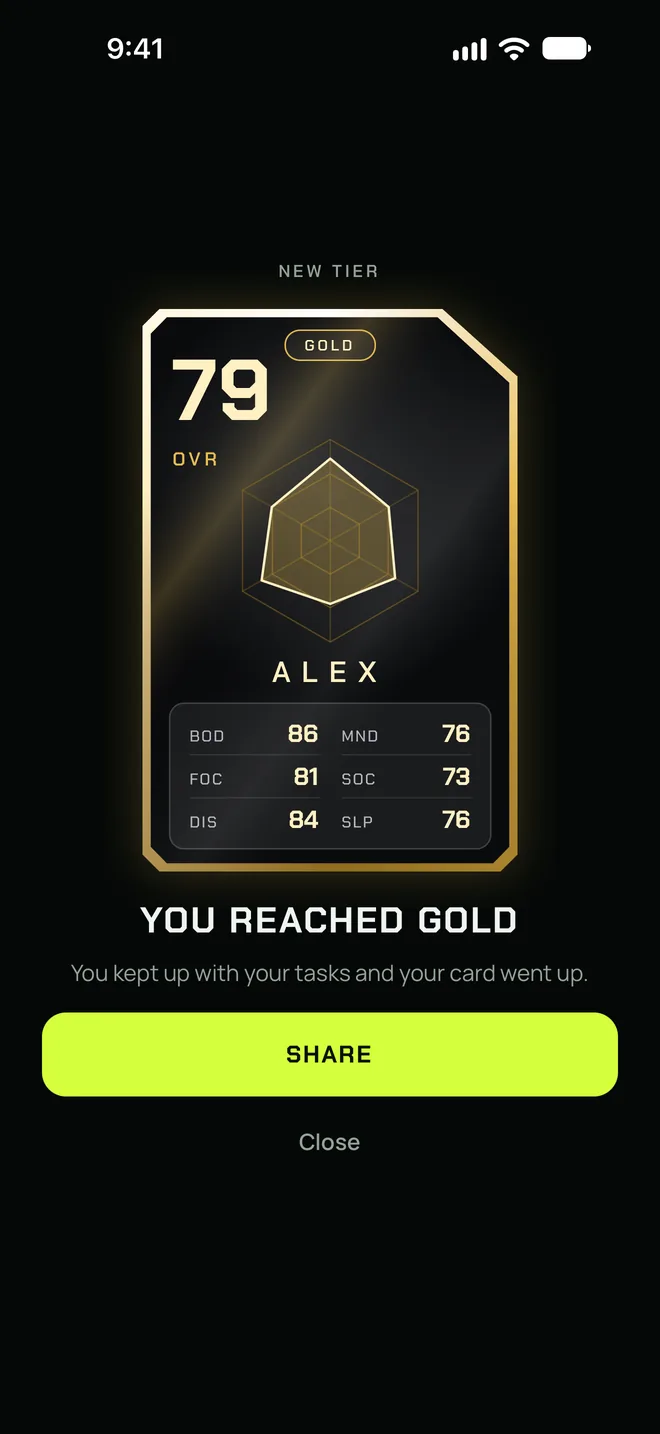
Every stat on your card is one part of your life. Your OVR is the average of all six, so if you neglect one, your card shows it. The Stats screen shows how each stat changed this week.
- BOD Body: moving, training, drinking water
- MND Mind: reading, learning, clearing your head
- FOC Focus: giving one thing your full attention
- SOC Social: real contact, not just texts
- DIS Discipline: doing it even when you don’t feel like it
- SLP Sleep: the base for every other stat
The moment you move up
Your card turns over in its new metal.
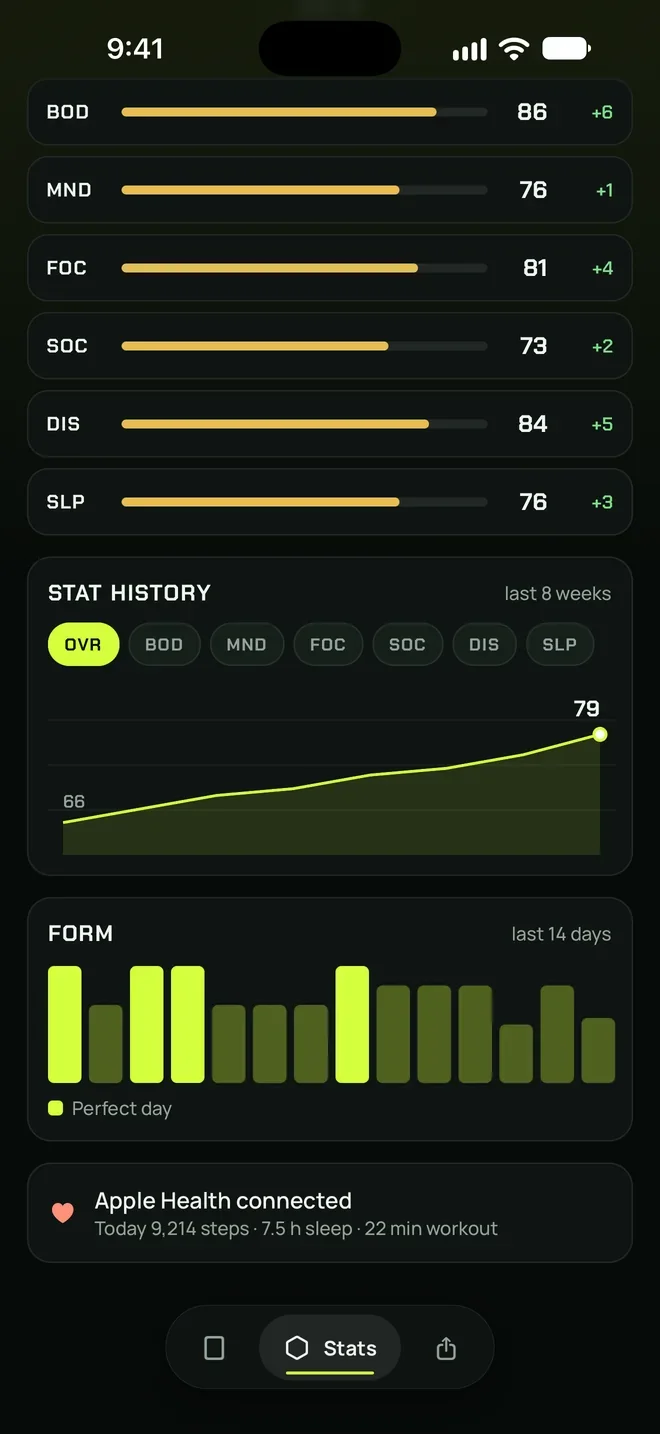
When your OVR passes a new threshold, your card turns over and comes back in its new metal. Share that moment to your story with one tap.
- Silver at 65 OVR, gold at 75, legend at 87
- Seven perfect days earn a form card for a week
- The Legend tier and special foils come with Pro
Apple Health · Pro
You walked, slept and trained. Your card knows.
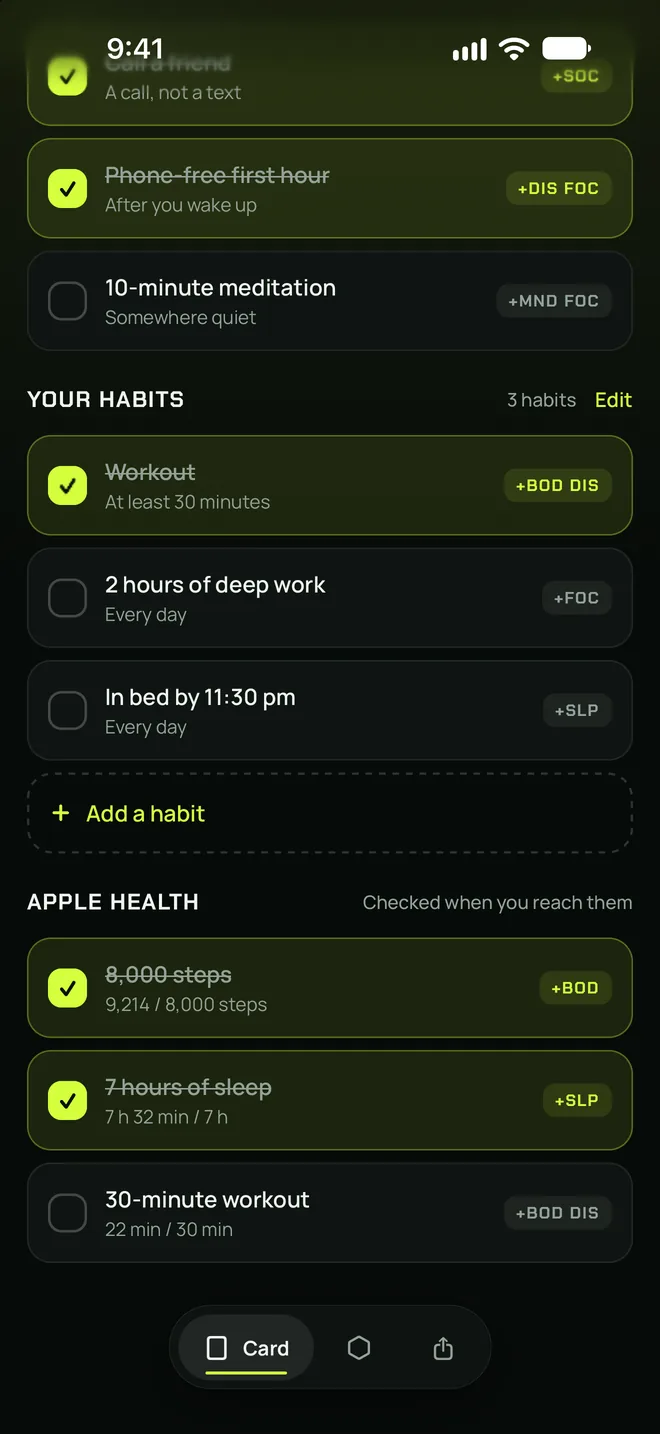
With Gritcard Pro, connect Apple Health and the matching tasks check themselves once your steps, sleep and workouts hit their goals. You live your day, your card keeps up.
- 8,000 steps: +2 BOD
- 7 hours of sleep: +2 SLP
- 30-minute workout: +2 BOD, +2 DIS
- Read-only access; processed on your iPhone and never sent anywhere
Share
Put your card in your story.
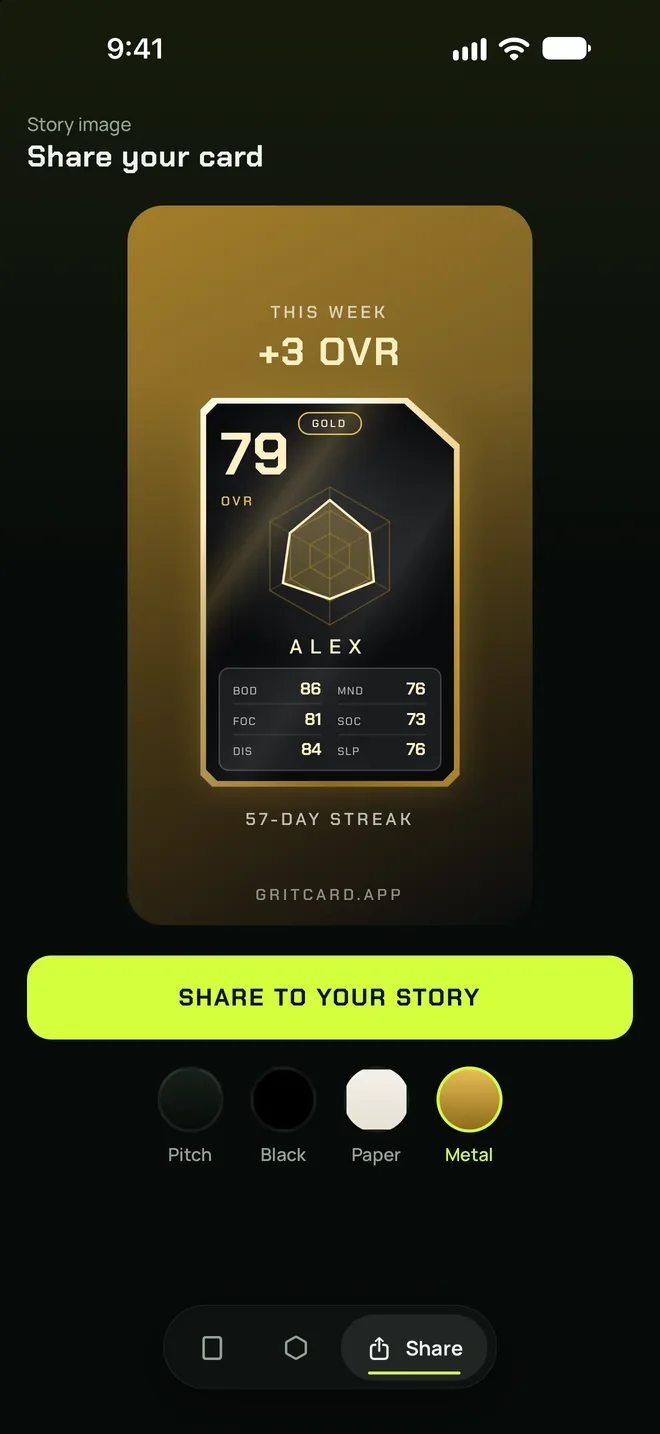
The Share tab turns your card and this week’s OVR gain into a story-size image. One tap sends it to your Instagram story or any app you like. Not a badge collection, but a card you’ll actually want to show.
- 1080×1920 story size
- Your card, your weekly gain and your streak
- Share themes with Pro: pitch, black, paper or metal
Details
Your card, every day.
Your habits, your stats
A morning run, two hours of deep work, in bed by 11:30. Add your habit, pick up to two stats, and it sits in your list next to the suggestions every day.
Home Screen widgets
The small widget shows your card; the medium one adds today’s tasks, your streak and how far you are from the next tier. Free.
On the Lock Screen too
An OVR ring, a rectangular and an inline widget keep your card with you on the Lock Screen. With Gritcard Pro.
Streak and evening reminder
Every day with at least three tasks done adds to your streak. If you like, Gritcard reminds you once on evenings your tasks aren’t done.
A real free version
No paywall the moment you open it: your card, the Bronze to Gold tiers, the form card and your streak are all free.
English and Turkish
Gritcard follows your phone: it opens in Turkish if your iPhone is set to Turkish, and in English otherwise.
Screens
A closer look at Gritcard.
Today
Tasks and habits
Your first card
Tier-up
Stats
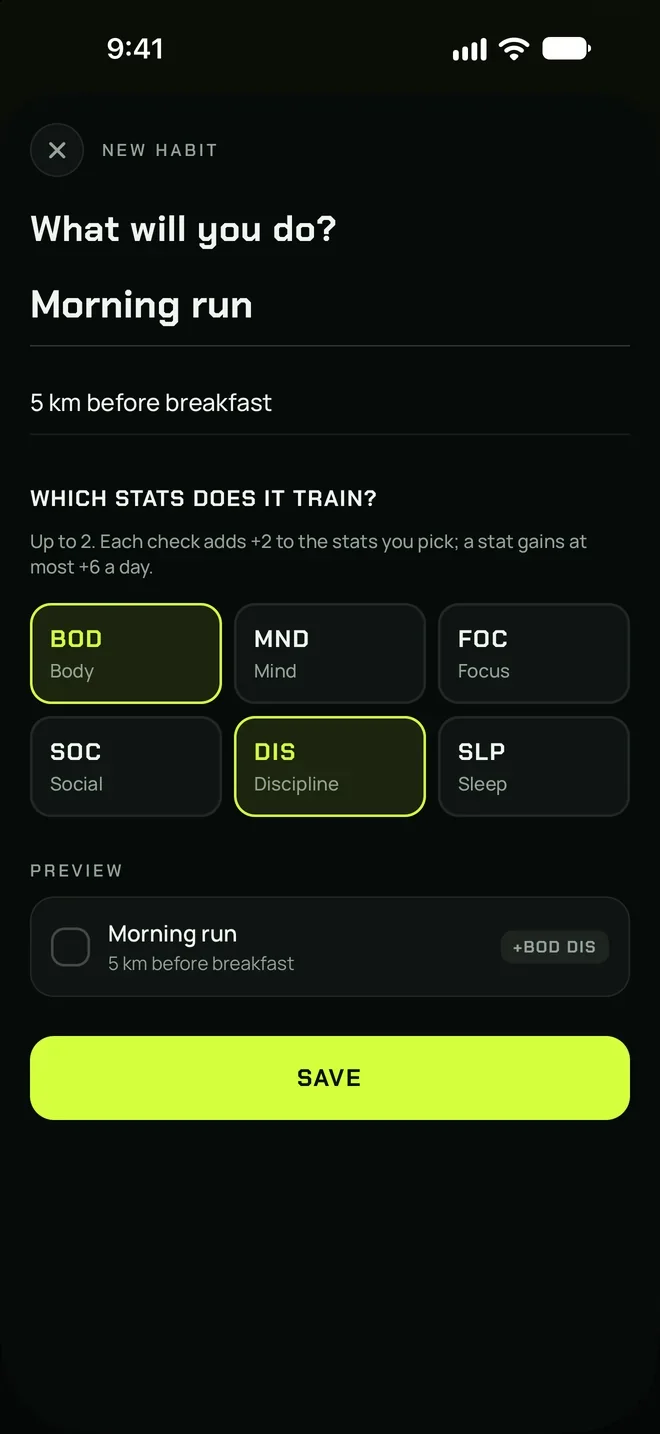
New habit
Apple Health
Sharing
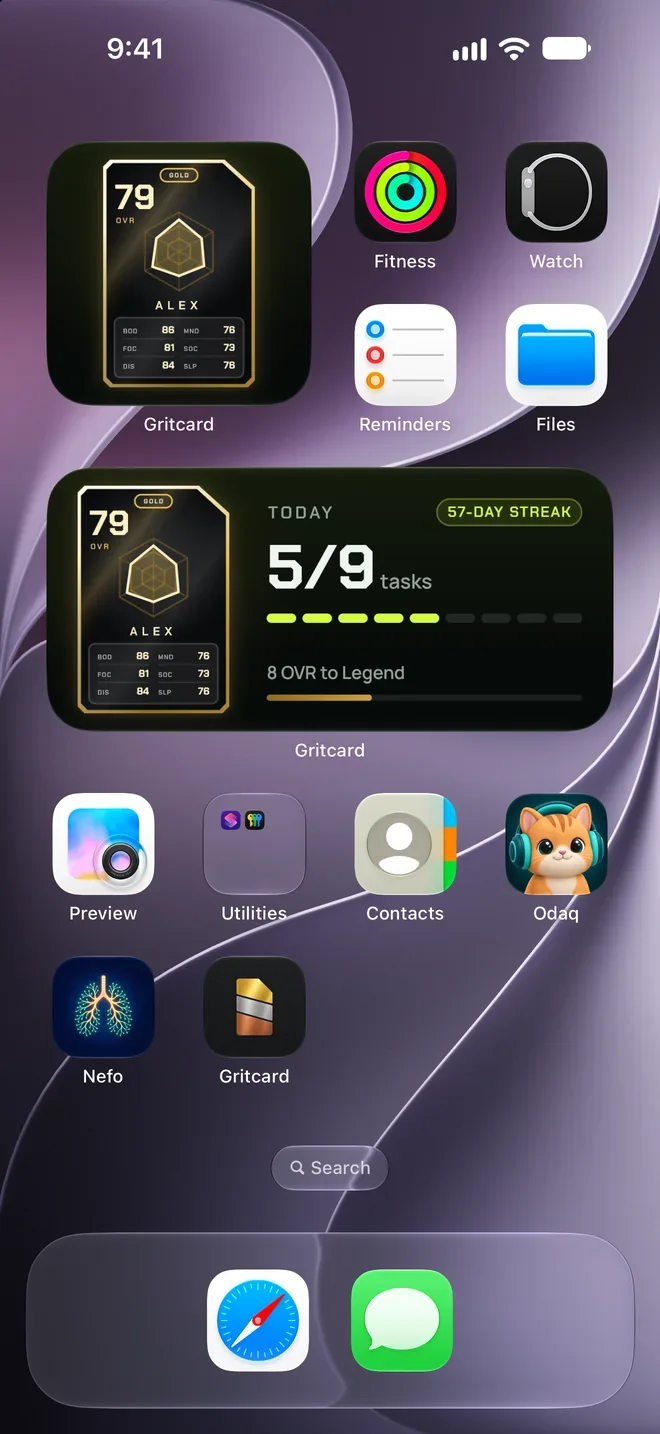
Widgets
Privacy
Your card is yours alone.
You don’t need an account to use Gritcard. Your stats, tasks and habits are stored only on your iPhone, and Apple Health data is read on your device only. Purchases go through Apple; your payment details never reach Gritcard.
Privacy0
Accounts
0
Ads and ad identifiers
0
Analytics tools
0
Tracking
FAQ
Frequently asked questions.
Step-by-step answers and contact details are on the support page.
SupportIs Gritcard free?
What’s in Gritcard Pro?
How is OVR calculated?
Why did my stats drop?
Is my data shared with anyone?
Does Gritcard give health advice?
Which languages does it support?
Your card is waiting.
Gritcard is coming soon to the App Store. Start free, set up in a minute.