
Odaq
A pomodoro timer for iPhone
Focus, with a cat by your side.
Odaq splits your work into 25-minute focus sessions and short breaks. While you work, your cat reads its book; when the break comes, you both get to stretch.
- Free
- No ads
- No account
- Turkish and English
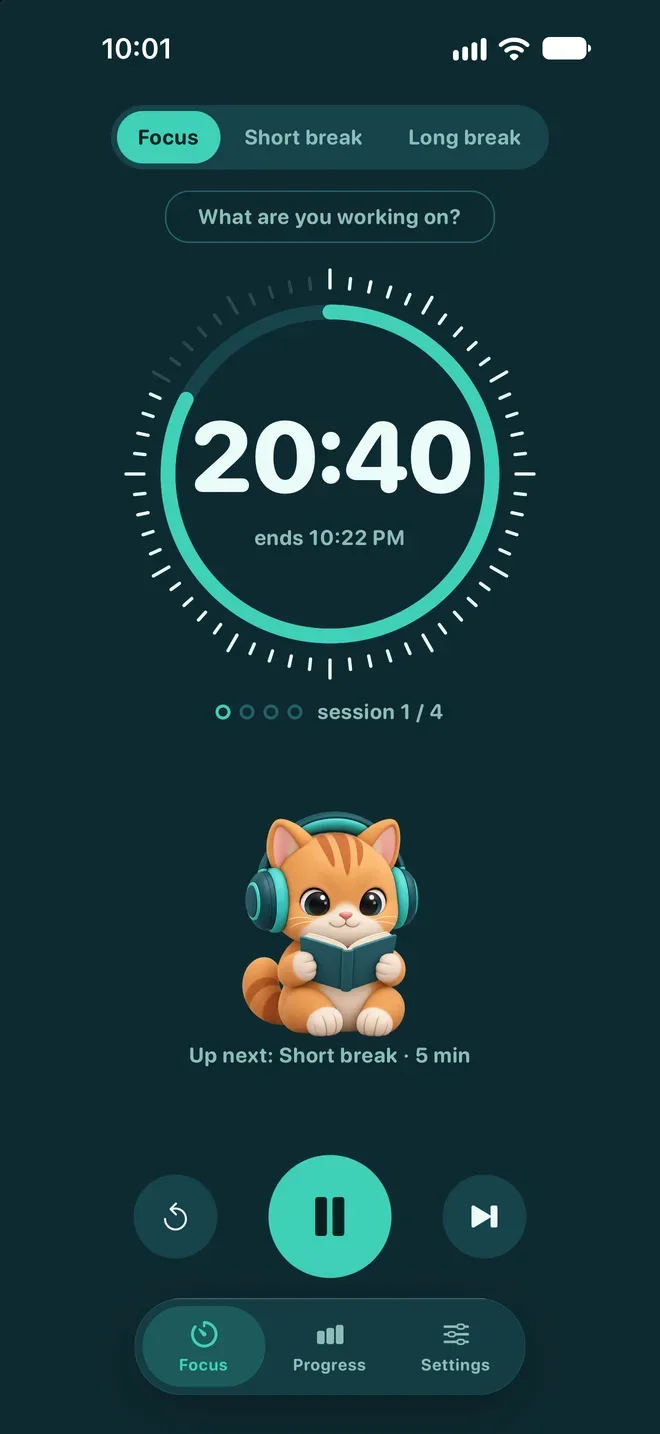



You work, your cat reads.
Where the name comes from
Odaq is “odak”, Turkish for focus, spelled with a q: gathering your attention in one place.
The timer borrows from a camera lens focus ring: sixty notches, each one a sixtieth of your session. As time runs down, the notches dim one by one. Even the app icon comes into focus when you open it.
Three modes, three colors
The screen changes color with what you’re doing.
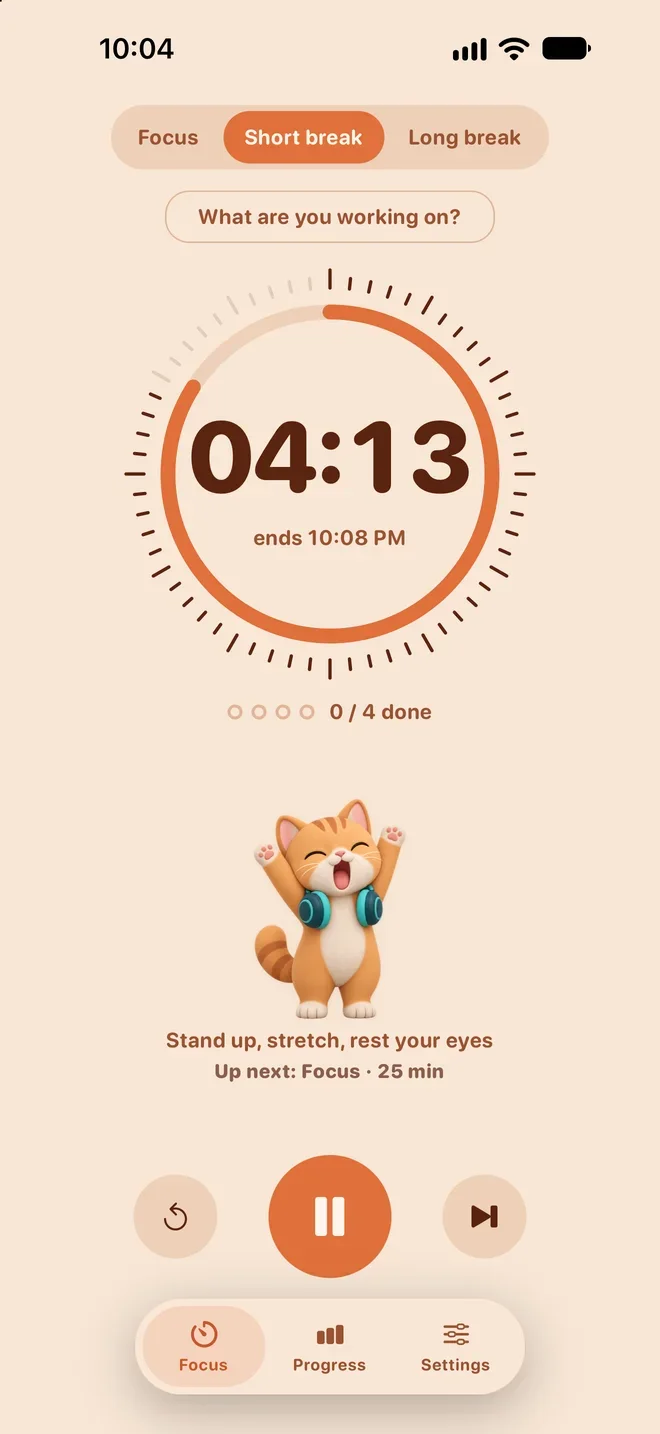
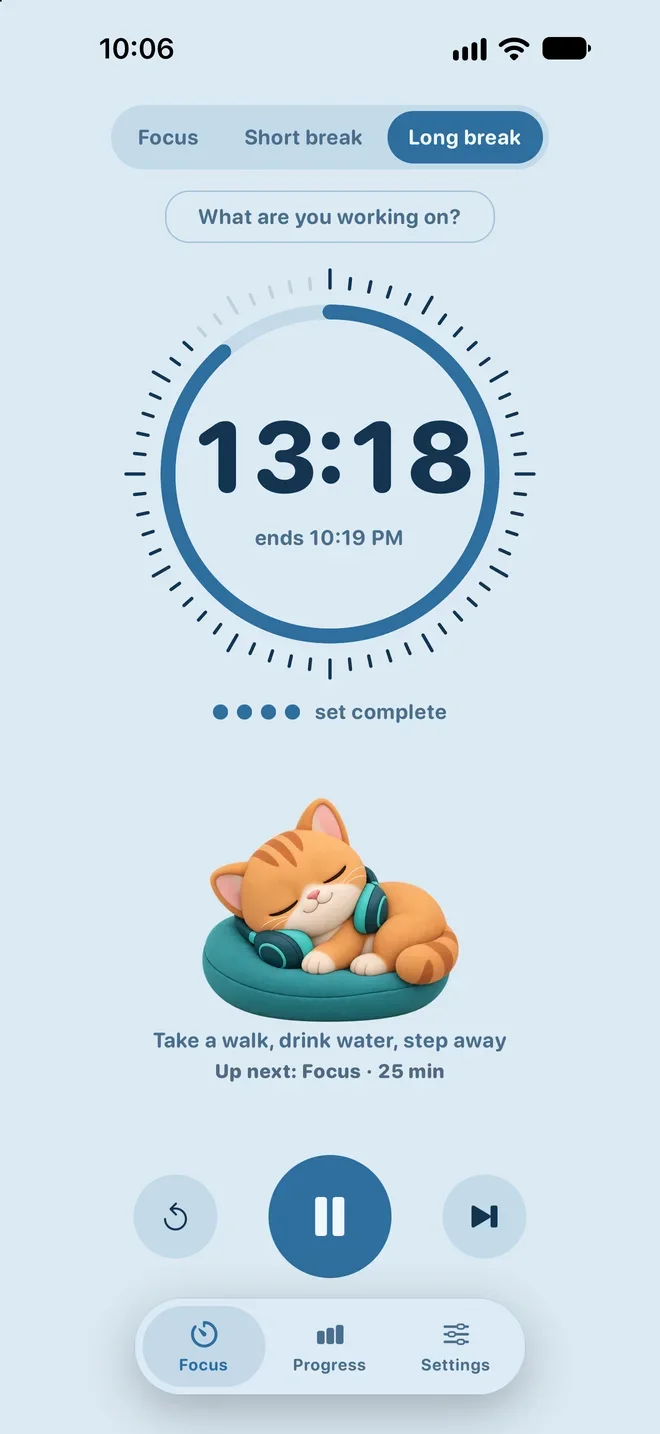
One glance at your phone tells you: focus or break? The whole screen takes on the mode, and your cat plays along. One set is four focus sessions, three short breaks and one long break; 2 h 10 min in all, and every length can be changed in Settings.
- Focus, 25:00: deep sea; you work, your cat reads
- Short break, 05:00: apricot; the screen warms up, your cat stretches
- Long break, 15:00: sky; after four sessions, nap time
Progress
Small sessions, a growing streak.
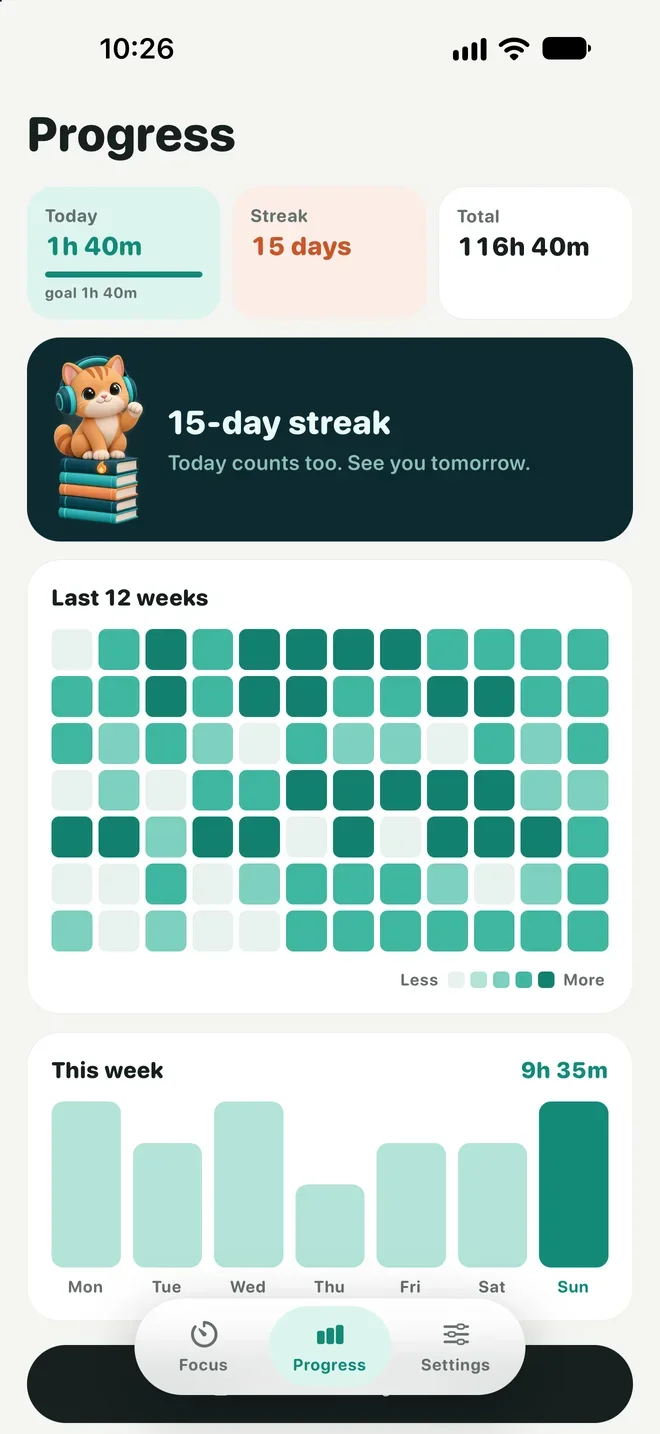
Every time you finish a session, your cat jumps for joy and the session lands in Progress. See today, your streak and your total at a glance.
- Today, streak and total time
- A 12-week heatmap
- This week’s chart and your daily goal
- A shareable weekly summary card
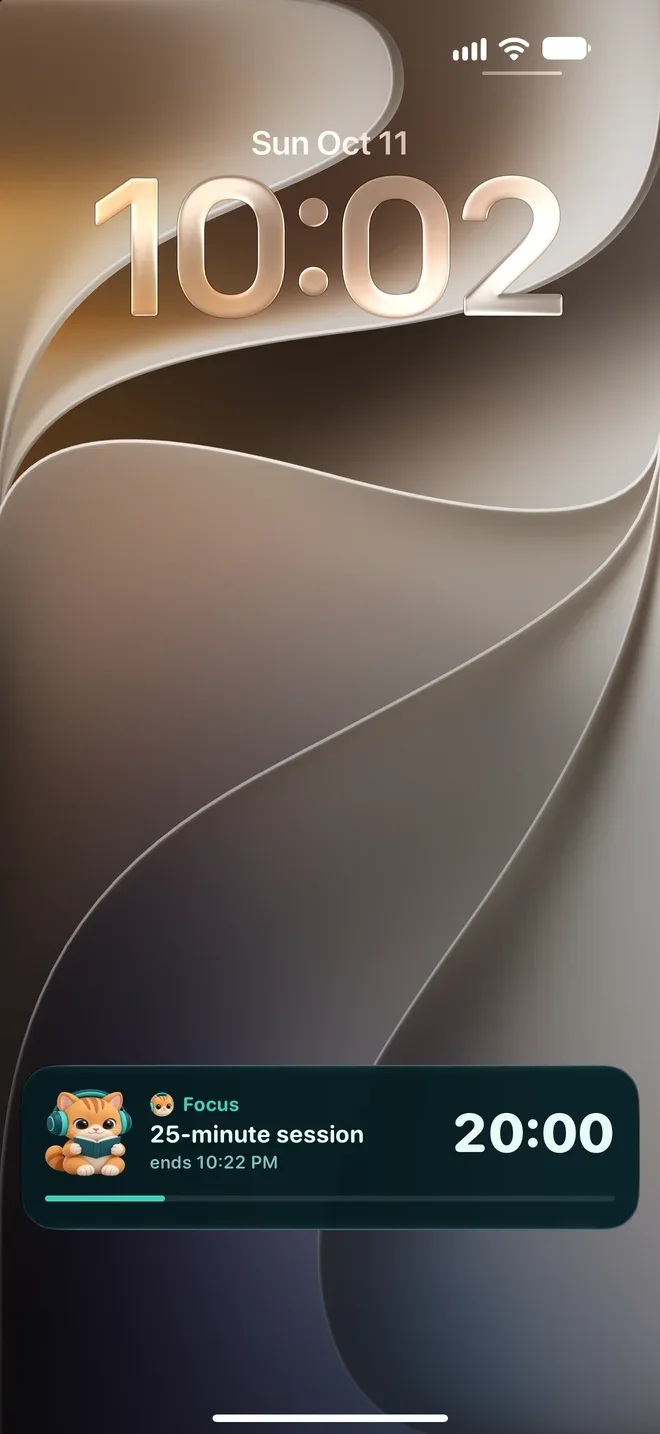
Lock Screen and Dynamic Island
Lock your phone. The timer keeps going.
Odaq keeps the countdown against the session’s end time, so it carries on when you lock your phone or switch to another app.
- Live Activity: time left, mode and task right on the Lock Screen
- A notification when time is up, telling you what comes next
- The countdown in the Dynamic Island, always in view
- Come back and the timer is exactly where it should be
Widgets
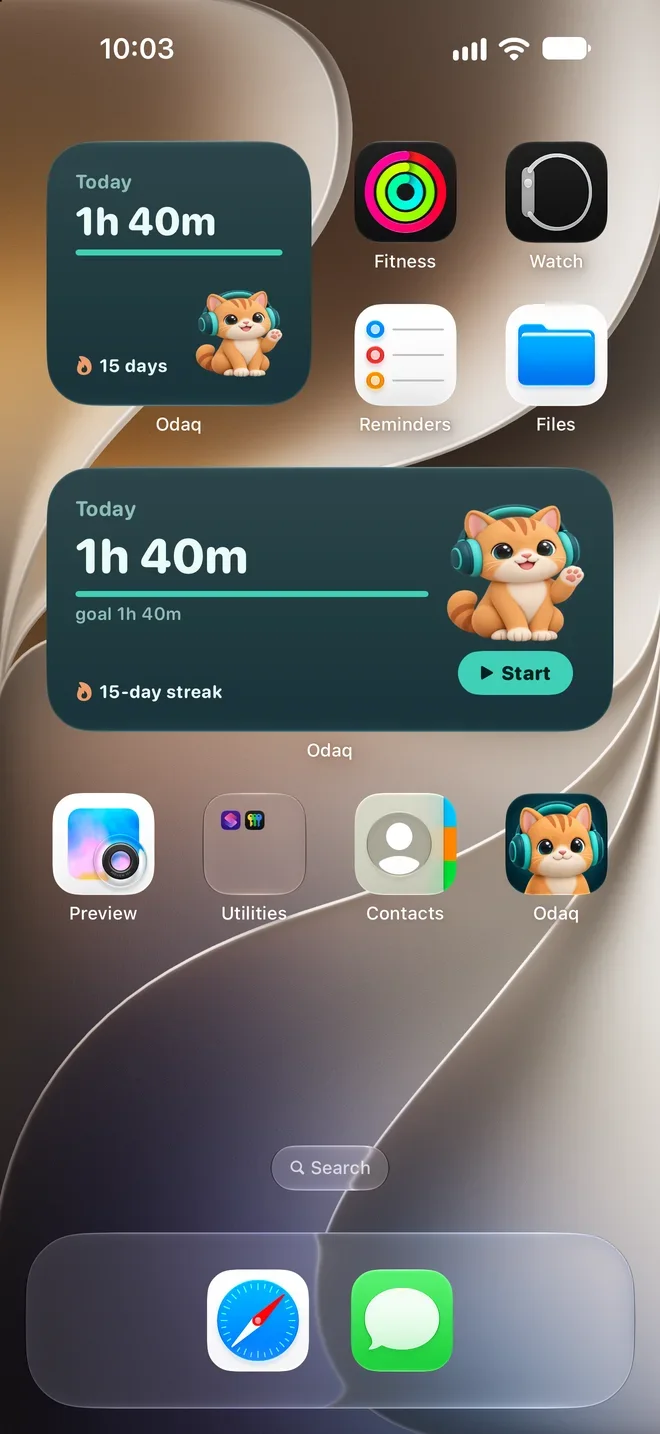
Today’s focus, on your Home Screen.
How long you’ve focused today, your daily goal and your streak, at a glance. While a session runs, the countdown moves to the widget; tap Start and a new session begins right away.
- Small and medium Home Screen widgets
- Circular, rectangular and inline Lock Screen widgets
- Today’s minutes, your daily goal and your streak
Details
Small things that matter.
What are you working on?
Give a session a task name if you like. It shows on the Lock Screen, and the end-of-session notification mentions it too.
Your durations
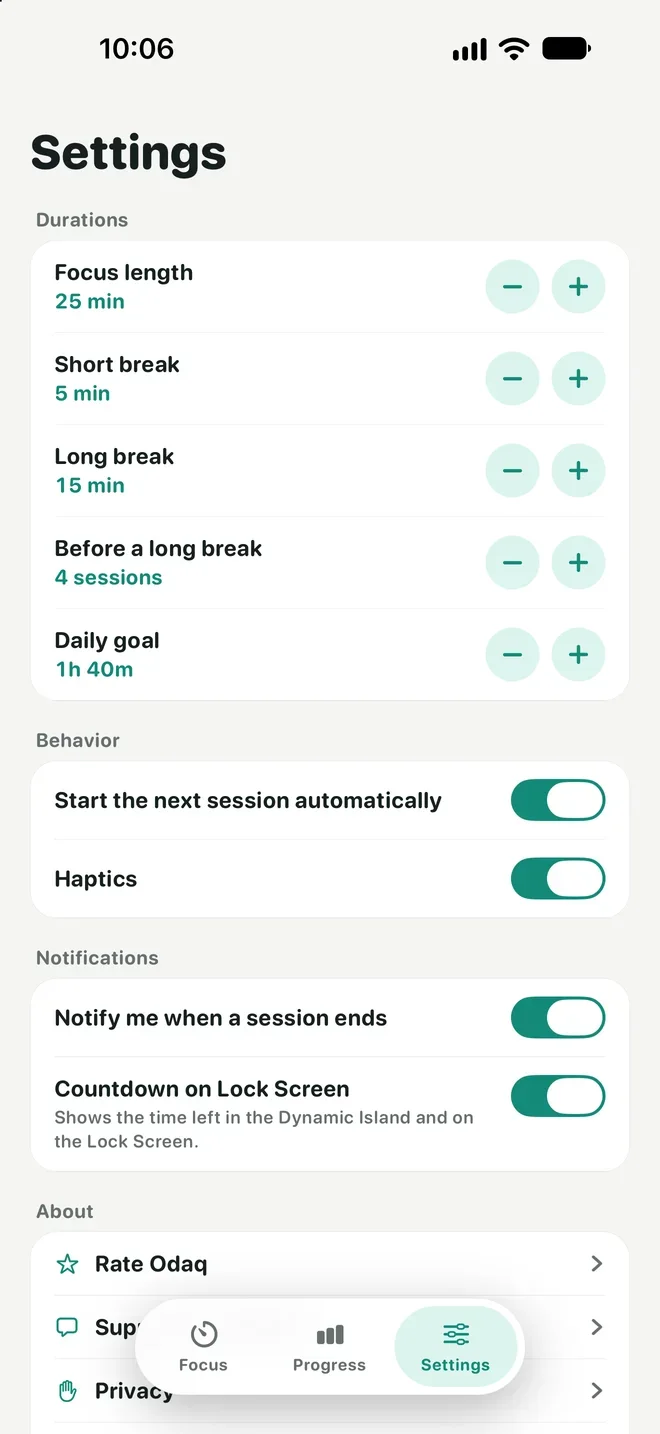
Change focus and break lengths, the number of sessions before a long break and your daily goal in Settings.
Keeps flowing
If you like, the next session starts on its own, so your rhythm never breaks.
Haptics
Gentle taps under your fingers. Turn them off in Settings if you prefer.
Turkish and English
Odaq follows your phone’s language: Turkish if it’s set to Turkish, English otherwise.
Long break rhythm
By default a 15-minute long break comes every four sessions; you decide the number.
Screens
A closer look at Odaq.
Focus
Short break
Long break
Progress
Lock Screen
Widgets
Settings
Privacy
Your focus stays on your phone.
Odaq is free and collects no personal data. Your sessions, settings and task names are stored only on your iPhone and are never sent to a server.
Privacy0
Ads
0
Accounts
0
Tracking or analytics
0
In-app purchases
Is Odaq really free?
Do I need an account?
Does the timer stop when I lock my phone?
Can I change the durations?
Which devices does it run on?
Your cat is ready. Are you?
Odaq is coming soon to the App Store. Free, no ads, no account.