Levha
Quran verse and prayer times for iPhone
A verse every time you look.
Levha puts the verse of the day and the time left until the next prayer on your Lock Screen: a quiet reminder every time you pick up your phone. Inside are the Holy Quran with translation and the duas of the Quran.
- Free
- No ads
- No account
- Your location stays on your phone
Lock Screen and Home Screen
Pick up your phone, see the verse of the day.
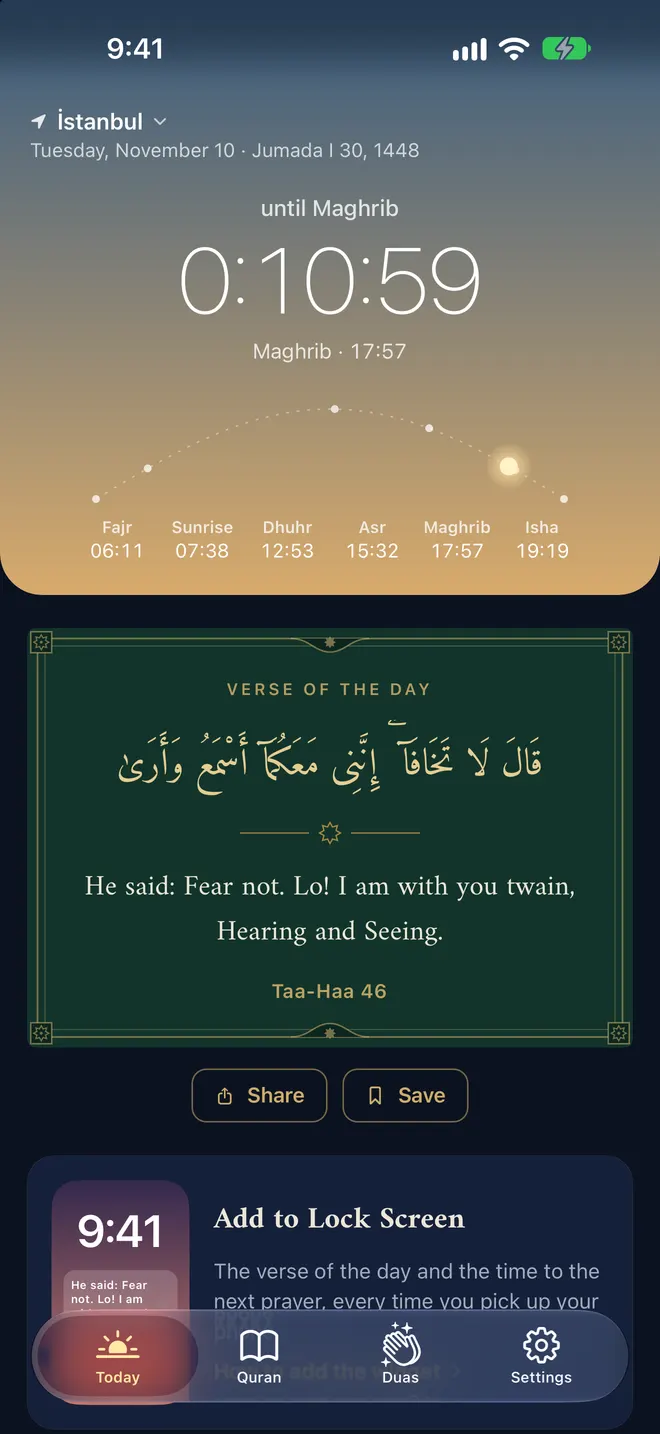
Levha does its real work outside the app: a verse on your Lock Screen, the next prayer and the time left above the clock, and a gold-framed panel on your Home Screen. The verse changes every day and the countdown runs on its own.
To add it to your Lock Screen
- 1Touch and hold the Lock Screen, then tap Customize.
- 2Choose the Lock Screen and tap the area below the clock.
- 3Find Levha and add the verse or prayer widget.
Where the name comes from
A levha is a framed panel of calligraphy, hung on the walls of homes and mosques.
You walk into a room, your eye falls on it, and you remember a verse or a prayer. The app keeps that place on your phone: a gilded panel on your Lock Screen, with a different verse every day.
Prayer times
The next prayer and the time left.
Times are calculated on your phone with the Diyanet method, with no internet needed. The sky changes colour through the day and the sun moves along the arc of the prayers.
- Your current location or a city from the list
- Reminders for Fajr, Sunrise, Dhuhr, Asr, Maghrib and Isha
- Hijri date and a live countdown
The Holy Quran
All 114 surahs, with translation.
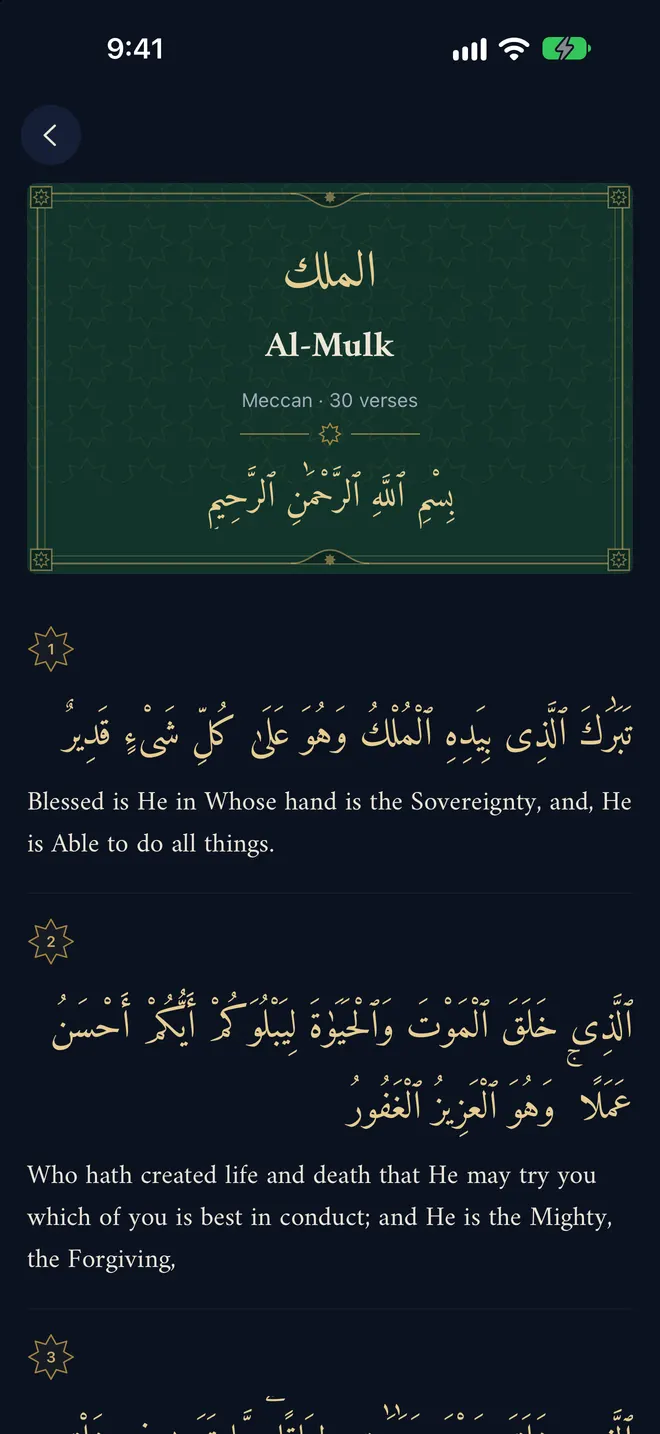
The Arabic text with the Pickthall translation beneath it. Levha remembers where you stopped; save the verses you love and share any of them.
- Search surahs, Meccan and Medinan
- Continue where you left off
- Save and share verses
Duas
Supplications from the Quran.
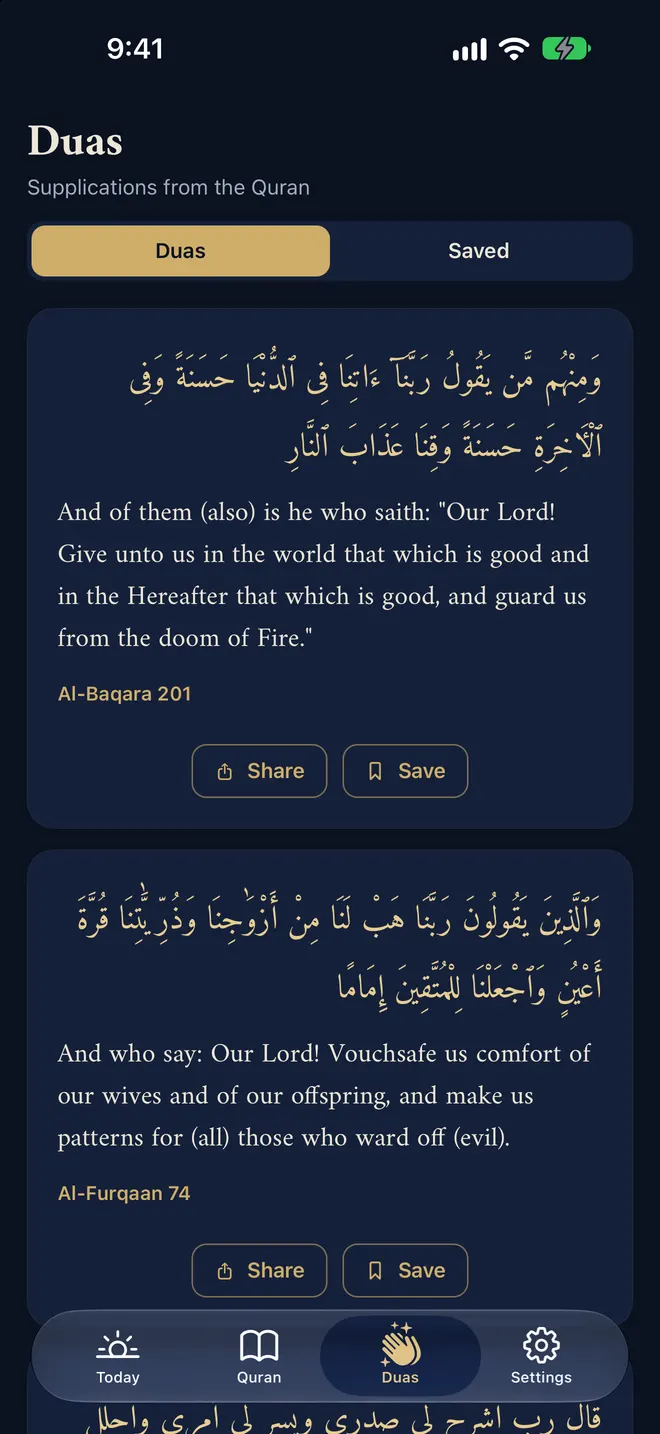
The Rabbana supplications, each in Arabic with its meaning. One appears on the Today screen every day, and you can save the ones you return to.
- Arabic text and meaning, with surah and verse
- A dua for every day
- Everything you save in one list
Details
Simple, and only what it needs.
Three widget sizes
Small, medium and large on the Home Screen; a verse, an inline countdown and a circular gauge on the Lock Screen.
A panel to share
Send any verse as a story-sized, gold-framed panel to WhatsApp or Instagram in one tap.
Works offline
The Quran text, the translations and the prayer calculation are inside the app. It opens on a plane and out of town.
Your location stays put
If you choose “Use my location”, it is only used on your phone to calculate prayer times and never sent to any server.
Trusted sources
Quran text from Tanzil.net (Uthmani), English translation by Marmaduke Pickthall.
Two languages
The Elmalılı translation in Turkish, Pickthall in English. The app follows your phone’s language.
Screens
The colour of night, the light of gold.
Today: prayer times and the verse of the day
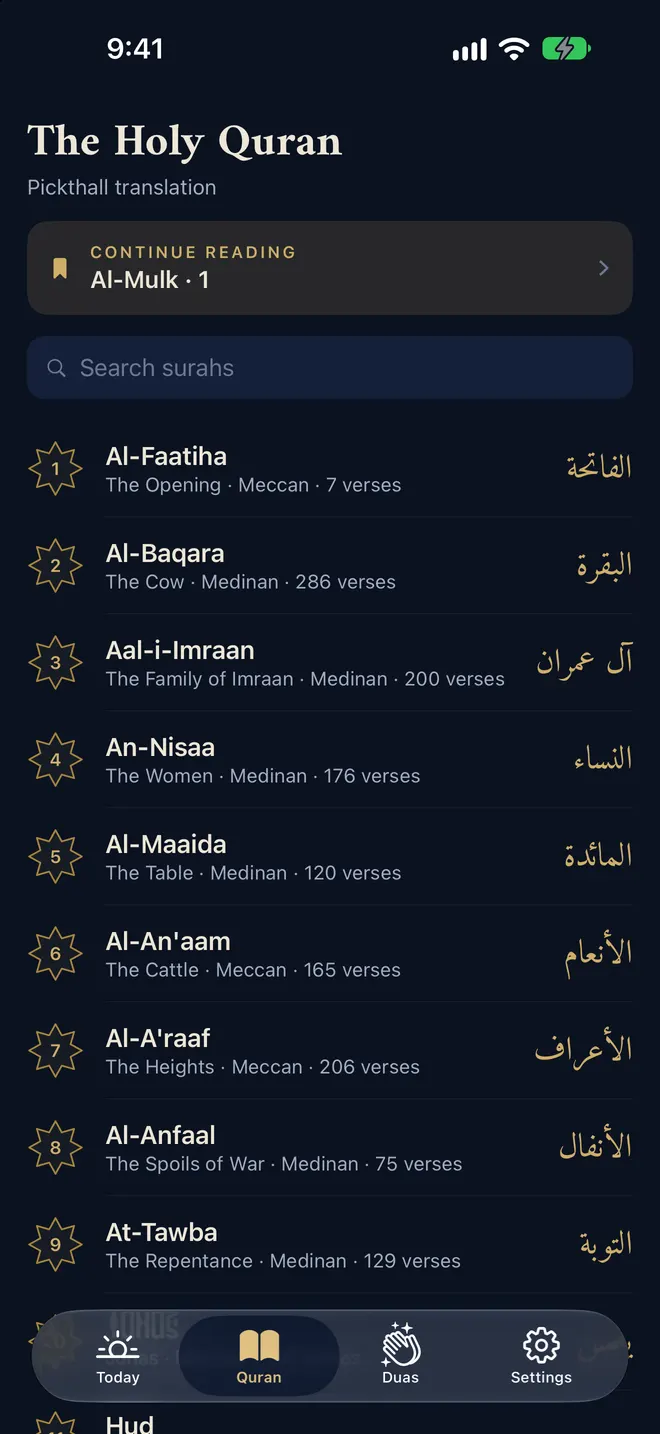
The Holy Quran: list of surahs
A surah in Arabic with translation
Supplications from the Quran
Privacy
No data is collected.
Levha has no server. Your city, your reminder choices, the verses you save and where you stopped reading stay on your iPhone. If you use your location, it too is used on the phone only, to calculate prayer times.
Privacy0
Ads
0
Account
0
Tracking and analytics
0
Data sent to a server
Is Levha free?
How are prayer times calculated?
Do I have to share my location?
How do I add the widget?
Which translation does it use?
Hang a panel on your Lock Screen.
Levha is coming soon to the App Store. Free, no ads, no account.