
Cüz
Group khatm for iPhone
Complete the Quran together, with one link.
Start a khatm and send the link to your group chat. Everyone takes a free juz and marks it read; when all 30 are done, the khatm is complete.
- Free
- No ads
- No account
- No app needed to join
How it works
Three steps to a shared khatm.
- 1
Start a khatm
Give it a name and an intention: for a loved one who passed, for healing, for Ramadan. Set a finish date if you like, and take your own juz as you start.
- 2
Send the link
Send one link to your family or community group. No app needed; the link opens in any browser.
- 3
Everyone takes a juz
Whoever taps a free juz adds their name and it is theirs. They mark it when they finish; when all 30 are read, the khatm is complete.
Where the name comes from
Cüz is the Turkish word for a juz, one of the thirty parts of the Quran; read all thirty and the khatm is complete.
In Ramadan, mosques read one juz a day and complete the Quran by the end of the month, a tradition Turks call mukabele. Cüz brings that togetherness to people who are far apart: family, friends or a community, each reads their own juz and the khatm is completed together.
Juz
Everyone takes a juz.
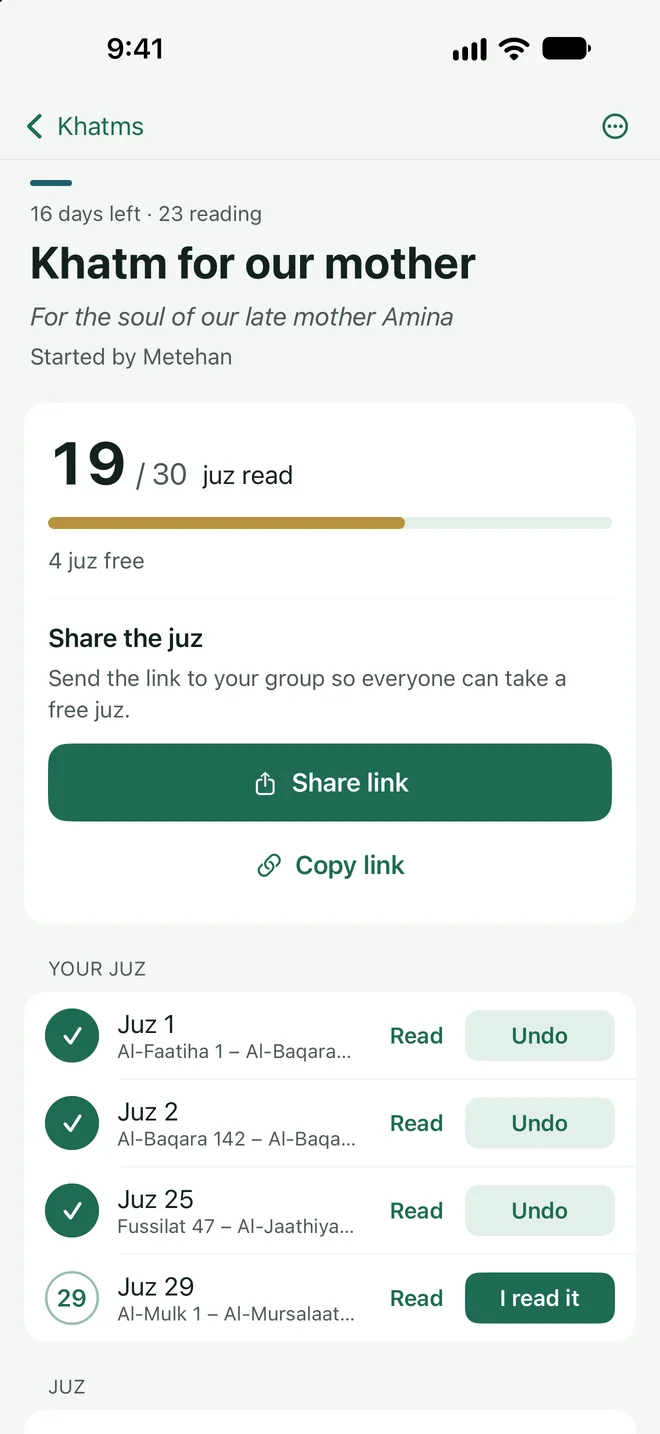
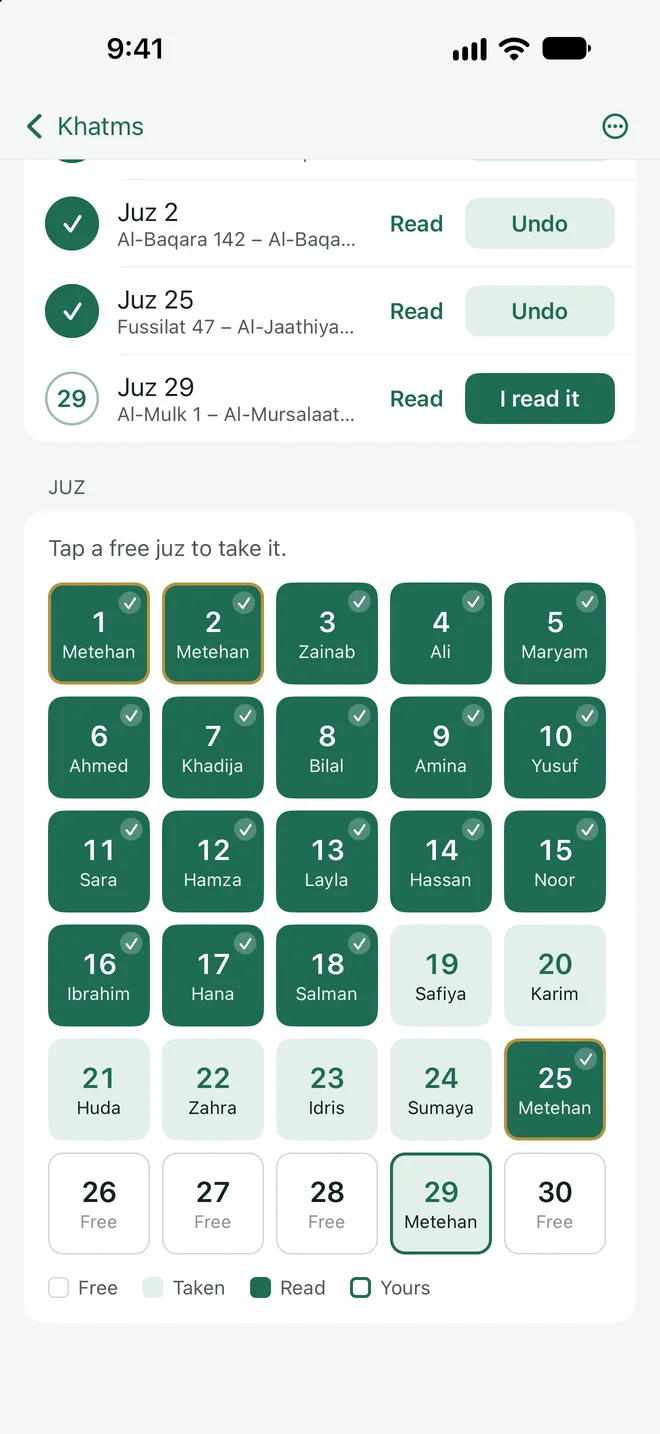
Whoever taps a free juz adds their name and it is theirs. Everyone sees who took which juz and who has finished; the progress ring fills with every “I read it”.
- All 30 juz, with the surahs each one spans
- Your juz at the top: Read, I read it, Undo
- Days left and the number of readers always visible
No app needed
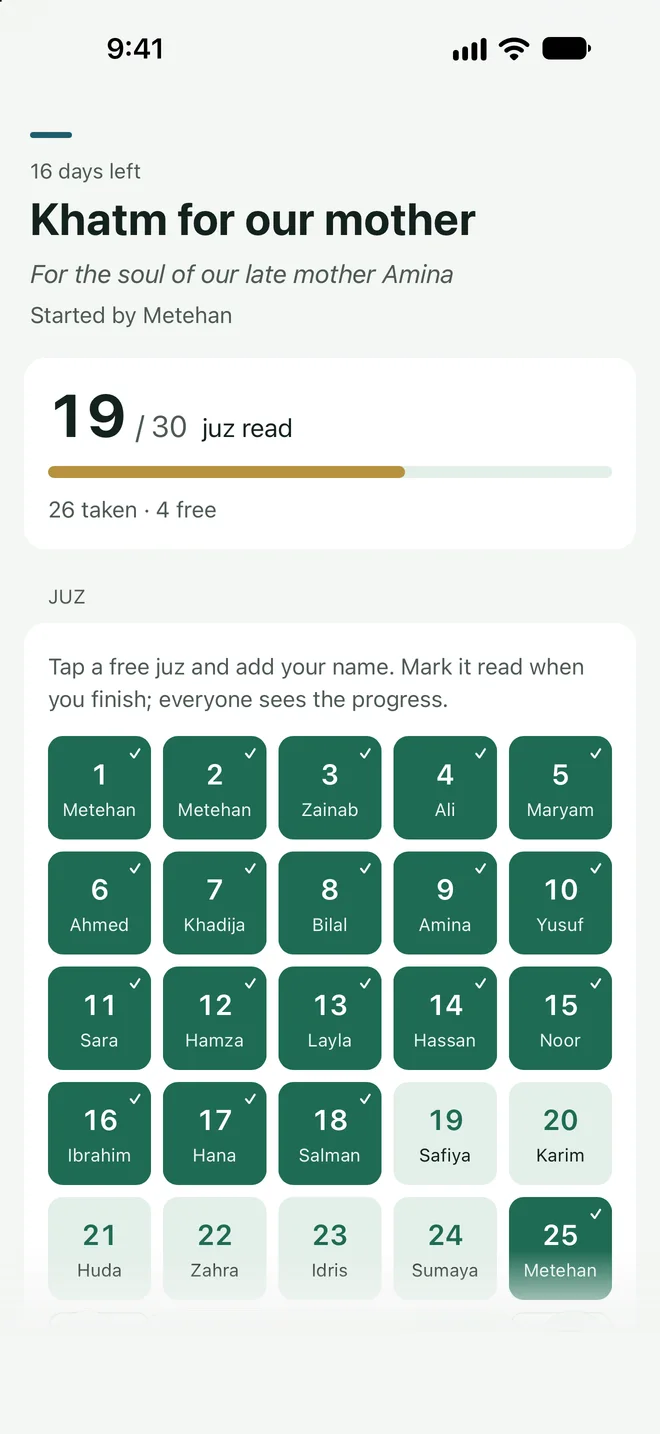
The link opens in any browser.
Your mother, an aunt, someone from the mosque: nobody has to download anything. Whoever opens the link taps a free juz and adds their name, then marks it read on the same page. If Cüz is installed, the link opens in the app.
- Links look like mukabele.metehanbicer.com/h/…
- Pages are closed to search engines
- Inappropriate content can be reported from the page
Read
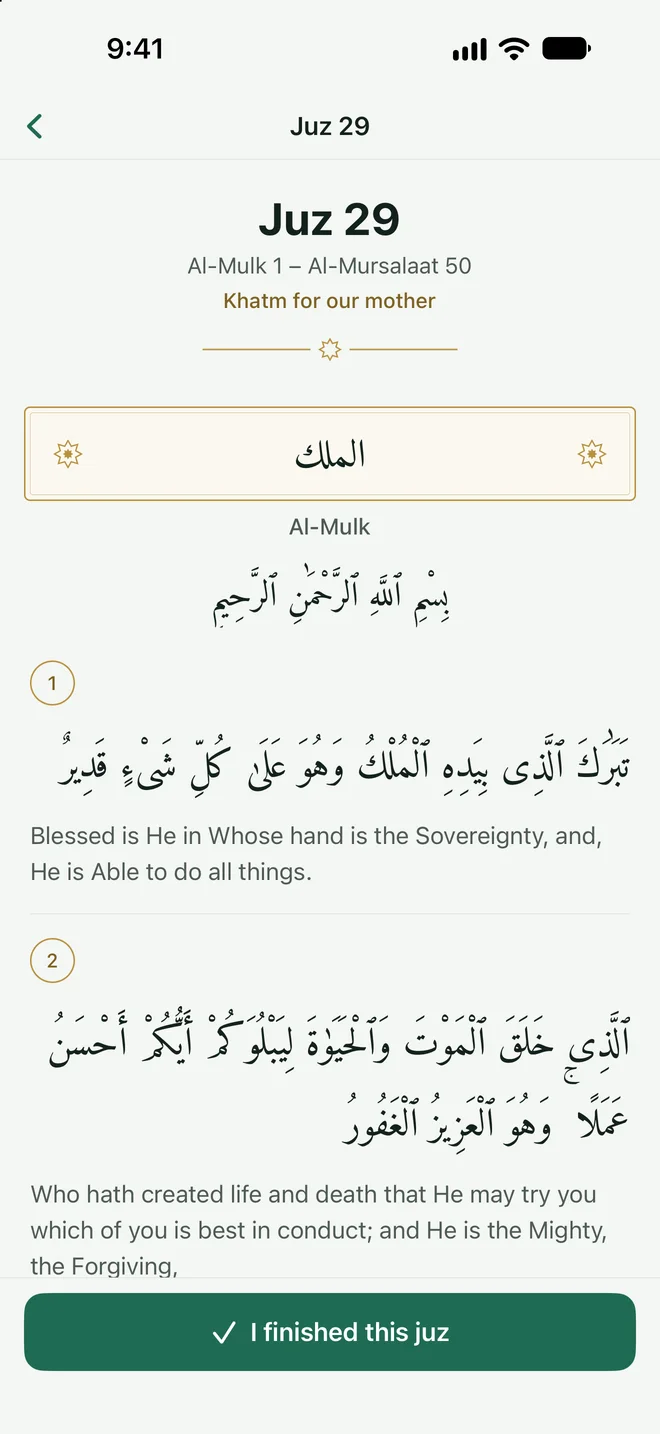
Read your juz in the app.
The juz you took opens in the app in Arabic with the Pickthall translation. When you finish, tap “I read it” once, and the ring fills on everyone’s screen.
- Quran text from Tanzil.net (Uthmani)
- Pickthall in English, Elmalılı in Turkish
- Works offline
Complete
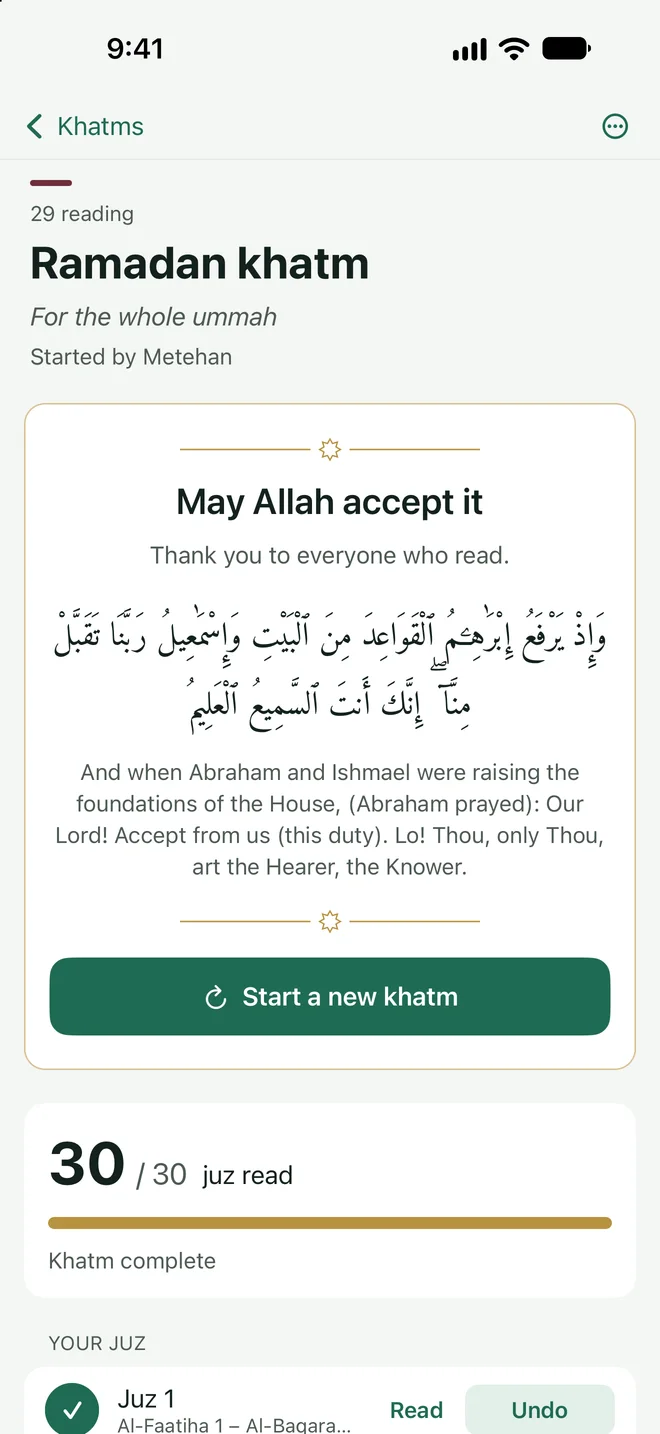
The khatm is complete, may Allah accept it.
When the thirtieth juz is read, the khatm ends with the completion dua. Start the next khatm on the same link: every juz becomes free again and completed rounds are counted.
- The completion dua, in Arabic with its meaning
- A new khatm on the same link
- Khatms you started and joined in one place
For organisers
The khatm is in your hands.
Intention and finish date
Change the name, intention and colour at any time; set a finish date so everyone sees the days left.
A juz nobody read
Free up a juz that was taken but not read, or mark it read for someone who told you they finished.
One tap to WhatsApp
The message is ready: the khatm’s name, its intention, how many juz are free and the link.
Khatms you joined
Copy a link someone sent you and tap the line on the home screen; the khatm is added under “Joined”.
No account
You only type your name; others see it next to the juz you take. No email, phone number or password.
Delete in one tap
“Delete my data” in Settings removes the khatms you started and the juz you took from the server right away.
Screens
A calm green, with a thin line of gold.
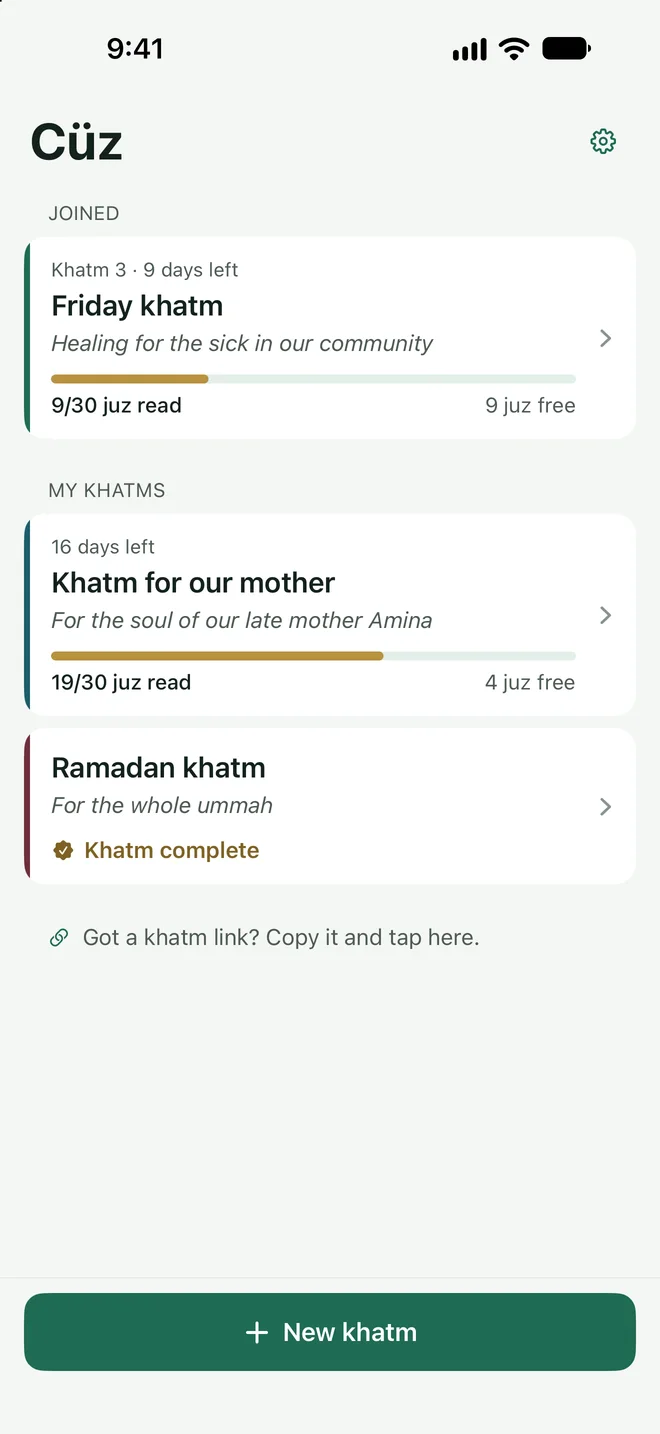
My khatms and the ones I joined
A khatm’s progress
All 30 juz and their readers
The khatm page in a browser
Read a juz in Arabic with translation
A completed khatm and the completion dua
Privacy
Only what the khatm needs.
Cüz has a server so one link can show everyone the same khatm; I run that server myself. It holds only the khatm’s title and intention, the names of the organiser and readers, and the state of each juz. No email, phone number or location is asked for. “Delete my data” in Settings removes it all right away.
Privacy0
Ads
0
Account
0
Tracking and analytics
0
In-app purchases
Is Cüz free?
Does everyone need the app?
Can I take more than one juz?
What happens when the khatm is complete?
Where do I read my juz?
Start your first khatm together.
Cüz is coming soon to the App Store. Free, no ads, no account.